Email Marketing for SaaS: The 2026 Playbook for Lifecycle-Driven Growth
08/11/2026
Marketing Strategy
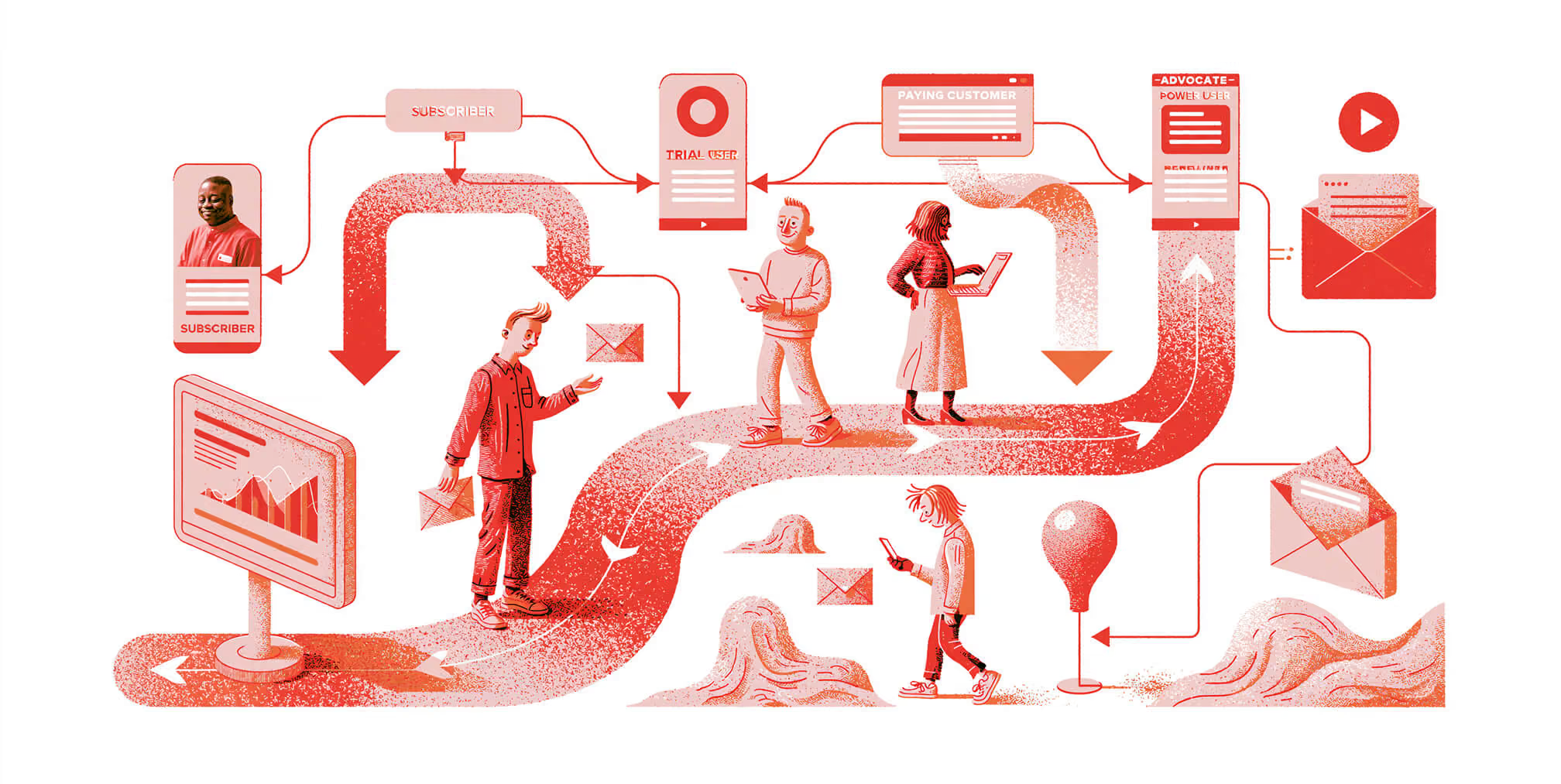
Help users move from signup to product value. Explore SaaS email marketing strategies for onboarding, activation, trial conversion, and retention, with practical guidance on segmentation, automation, and measurement.

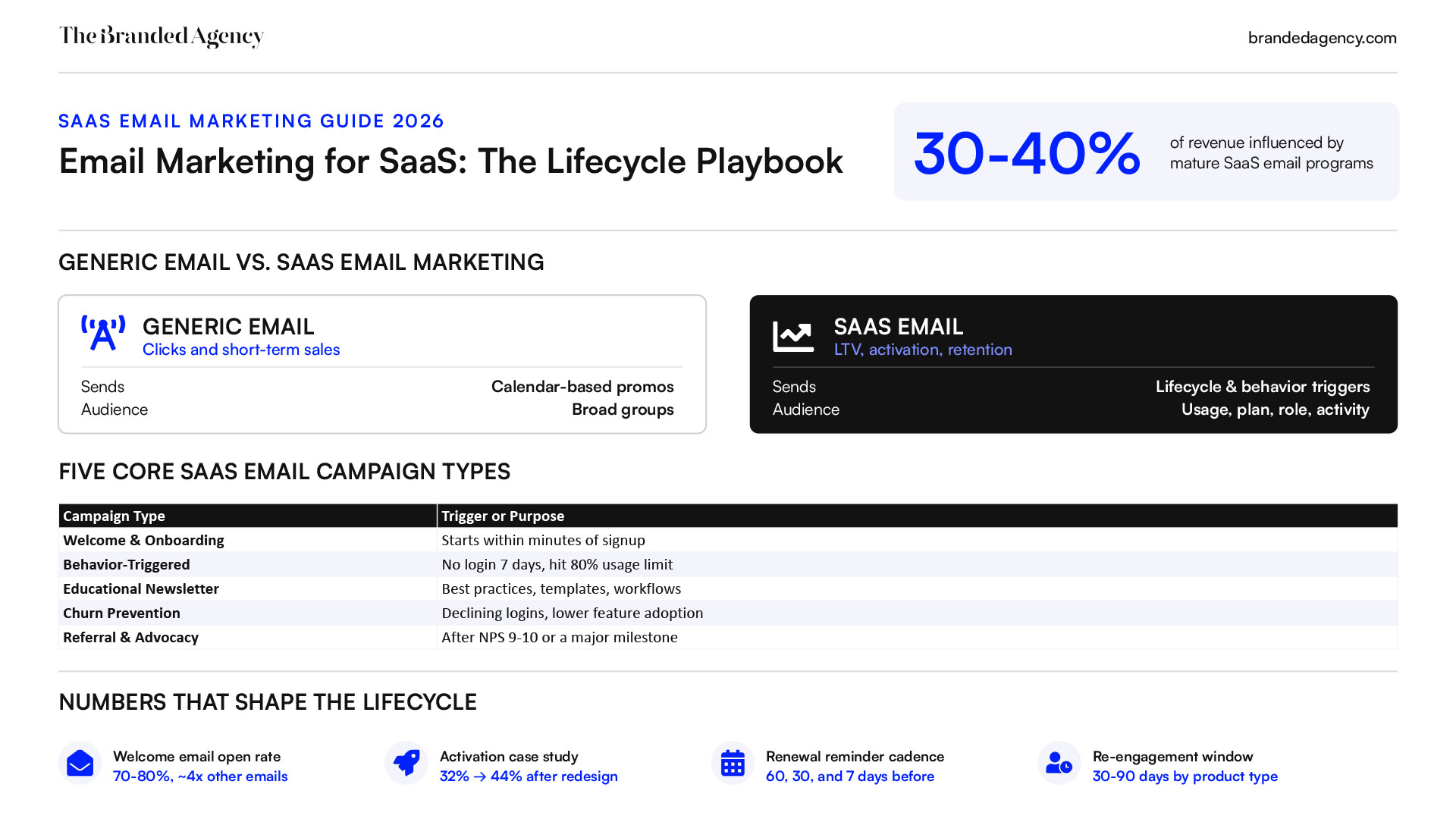
SaaS email marketing uses campaigns and automated messages to help prospects evaluate software, guide users through onboarding, and support ongoing product adoption. Common sequences include lead nurturing, trial onboarding, activation reminders, feature education, renewal communications, and re-engagement. The next useful message depends on what someone needs to accomplish. A trial user who has not completed setup may need a short walkthrough. An active customer may benefit from guidance on a relevant feature. An account approaching renewal may need a clear summary of its plan and the value it has received. An effective strategy connects lifecycle stage, user role, and product activity with useful content and appropriate timing. It also coordinates email with in-app guidance, sales, and customer success so users receive consistent support. This guide explains how to plan SaaS email campaigns across the customer lifecycle, define behavioral triggers, choose meaningful audience segments, and measure outcomes such as activation, trial-to-paid conversion, and retention. The goal is to help users reach valuable milestones and evaluate email’s contribution without assuming every conversion or renewal was caused by a message.
.png)
How SaaS Email Marketing Supports Growth and Retention
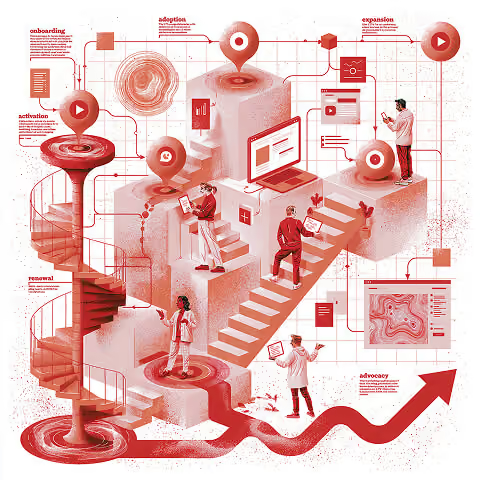


SaaS email marketing helps prospects and customers take useful steps toward understanding, adopting, and continuing to use your software. Those steps might include completing setup, trying a relevant feature, inviting a teammate, or preparing for renewal.
An effective program connects messages to the customer’s stage, role, and product activity. For example, someone who has not connected a required integration may need setup guidance, while someone already using it needs a different next step.
Email can support these outcomes, but it cannot compensate for poor product fit, unresolved support issues, or a confusing onboarding experience. Evaluate its contribution alongside product improvements, sales activity, and customer success support.
Key Takeaways
- Plan around customer milestones. Define what users need to accomplish during evaluation, onboarding, activation, adoption, and renewal. Not every customer follows the same path.
- Use behavior to make messages relevant. An automated email strategy should specify triggers, eligibility, timing, and exit rules. Stop reminders once the requested action is complete.
- Make education actionable. Tutorials, examples, and customer stories should help recipients solve a specific problem or complete a meaningful task.
- Coordinate across teams and channels. Align email with in-app messages, sales outreach, and customer success conversations to avoid repetitive or conflicting communication.
- Measure product and business outcomes. Track activation, trial-to-paid conversion, adoption, and retention alongside clicks, unsubscribes, and complaints.
- Test rather than promise returns. Email ROI varies with your acquisition model, contract value, audience, and delivery costs. Broad email benchmarks should not be presented as expected SaaS results.
What Makes Email Marketing Different for SaaS?
SaaS customers typically need to experience ongoing value to continue paying for a product. That makes onboarding, product adoption, and customer retention central to the email strategy.
The relationship may also involve several people. An end user needs workflow guidance, an administrator needs setup and team-management information, and a billing contact needs accurate renewal details. Sending the same message to everyone can miss those different responsibilities.
Product Activity Shapes the Next Message
When available and appropriate to use, product events, account roles, plan details, and billing information can help determine what to send.
For example:
- A trial user who has not completed setup receives guidance on the missing step.
- A user who completes setup exits that reminder sequence.
- An administrator preparing to add teammates receives relevant onboarding resources.
- An account approaching renewal receives communications directed to the appropriate decision-maker or billing contact.
A login alone does not establish that someone has received value. Define activation using actions that meaningfully reflect success with your product, then test whether those milestones are associated with continued use.
User-Level and Account-Level Messaging
In B2B SaaS, individual activity and account health are different. One inactive user does not necessarily mean the entire account is at risk, and one active user does not establish broad team adoption.
Use user-level information for individual guidance and account-level information for conversations about adoption, expansion, or renewal. Coordinate with the account owner before sending automated sales messages to customers already discussing a change.
SaaS and eCommerce Email Marketing Compared
Both SaaS and ecommerce benefit from relevant education, segmentation, and retention messaging. The practical differences come from what customers buy and how they experience value.
DimensionSaaS email marketingeCommerce email marketingInitial conversionDemo request, signup, trial, or paid subscriptionFirst product purchase or subscriptionOnboardingAccount setup and completion of useful product actionsDelivery, product use, and care guidanceBehavioral signalsSetup progress, feature usage, user role, and account activityProduct views, cart activity, order history, and replenishment needsRetention focusContinued adoption, subscription value, and renewalProduct satisfaction, repeat purchases, and subscription continuityExpansion opportunitiesAdditional seats, higher plans, or relevant add-onsComplementary products, replenishment, or higher-value purchasesOutcome measuresActivation, trial-to-paid conversion, account retention, and expansionPurchase conversion, repeat purchase rate, order value, and margin
These differences should shape your content and measurement. For SaaS, the central question is: does this message help the recipient achieve something valuable with the product?

The best SaaS marketing should focus on the user's lifecycle stage to drive continuous product adoption and retention.
Free Brand Health Audit
Make sure your brand is built to sell
Search has changed. Your customers aren't just Googling anymore. They're asking ChatGPT, Perplexity, Gemini and other AI platforms what to buy, who to trust and which brands they should consider.
If your brand isn't showing up clearly in those answers, you're already losing opportunities. Our free Brand Health Audit shows you where your brand stands across traditional search, AI search and brand positioning.
Sample brand audit
Live preview
Traditional search
72
AI search (GEO)
34
Brand positioning
58
Map Email to the SaaS Customer Lifecycle
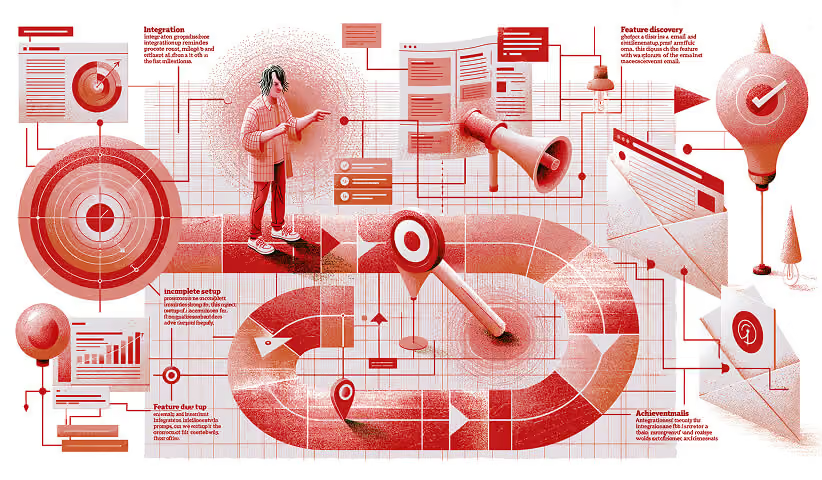


A SaaS lifecycle email strategy matches communication to what someone needs to accomplish next. Start by identifying the customer’s stage, relevant product activity, and role in the account. Then decide whether an email would help.
The lifecycle is not always a straight line. Some customers purchase without a trial, activation may happen before or after payment, and an established account may need onboarding when new teammates join.
Use these stages to plan your messages:
- Evaluation: Help prospects understand whether the product fits through educational resources, relevant evidence, and a clear evaluation path.
- Trial and onboarding: Guide users through setup and toward their first useful outcome.
- Activation and adoption: Help customers establish a useful workflow and discover relevant features.
- Retention: Support continued value and address signs of difficulty.
- Expansion and renewal: Explain suitable options, upcoming commitments, and next steps.
- Advocacy and re-engagement: Invite satisfied customers to share their experience or give inactive customers a relevant reason to return.
Not every event needs an email. Prioritize moments where communication can answer a question, remove a barrier, or help someone make a decision. Coordinate messages with sales, customer success, and in-app guidance.
Stage 1: From Interested Lead to Product Evaluation
Lead-nurture emails help potential customers assess the problem you solve and whether your software fits their needs. The next step might be a demo, a trial, or a conversation with sales, depending on your buying process.
Start with a useful resource, such as a practical template, webinar, checklist, or research report. Deliver what the person requested, and confirm eligibility for any subsequent marketing sequence.
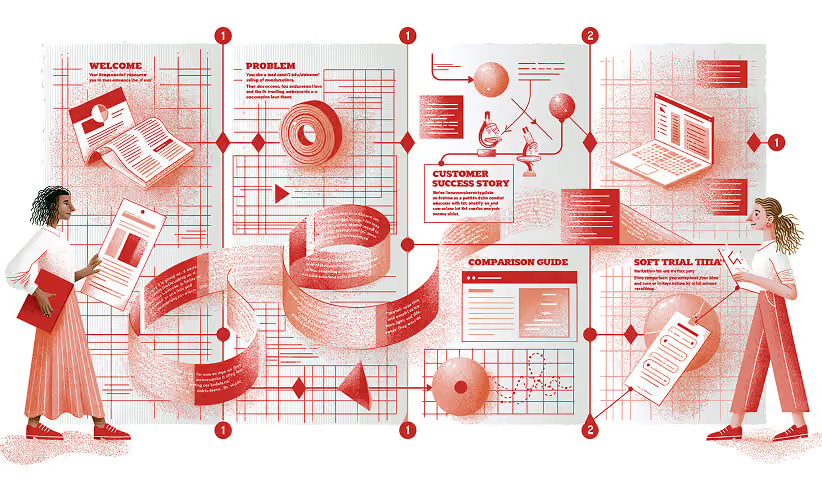
An illustrative nurture sequence could include:
- The requested resource and a brief explanation of how to use it.
- Guidance on a relevant problem or common implementation challenge.
- A documented customer example with a comparable use case.
- A checklist for evaluating possible solutions.
- An invitation to try the product or discuss requirements.
Your educational content should help prospects make progress even before they buy. Use brand storytelling to explain your perspective and connect evidence to a recognizable customer problem.
Once someone starts a trial, purchases, or enters an active sales conversation, update their eligibility. They should not continue receiving generic invitations to take a step they have already completed.
Stage 2: Trial Onboarding and Time to First Value
Trial onboarding helps users reach an initial useful outcome with your product.
Time to first value is the elapsed time between a defined starting event, such as signup, and the first meaningful outcome you specify. For a reporting tool, that might be generating a usable report from the customer’s own data. Define the starting point and outcome consistently before measuring it.
Email should help users complete the steps needed to reach that outcome. Avoid overwhelming them with features unrelated to their immediate goal.
For a hypothetical project management product with a 14-day trial, the following sequence is an example to test:
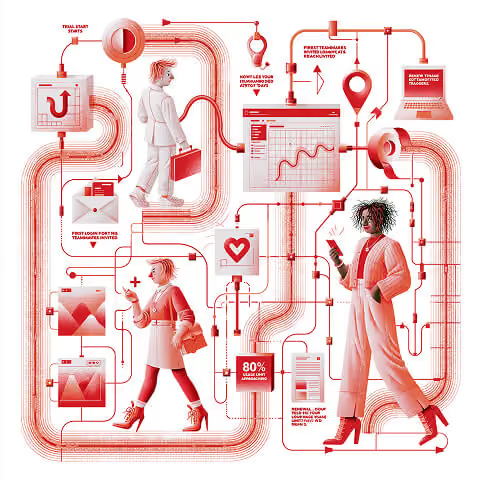
- At signup: Explain the trial, provide support access, and identify the first useful step.
- Day 1: Offer setup guidance, but only if the required setup remains incomplete.
- Day 3: Demonstrate how to create and use a first project if the user has not reached that milestone.
- Day 5: Introduce a collaboration workflow when it is relevant to the user’s role and use case.
- Day 8: Share a documented customer example or offer assistance based on the user’s progress.
- Two days before trial expiry: Explain the actual expiry date, what happens next, and available options. Send only if the trial remains active and has not converted.
These timings are illustrative, not a universal onboarding schedule. Use current product activity to skip completed steps and adapt messages if the trial is extended or the customer purchases.
Give each email one clear primary purpose, with support links where useful. Assess onboarding through milestone completion and time to first value, rather than treating email opens as evidence of product success.
Stage 3: Activation and Feature Adoption
Activation is a defined user- or account-level milestone that indicates initial product value. It should reflect more than registration or a login.
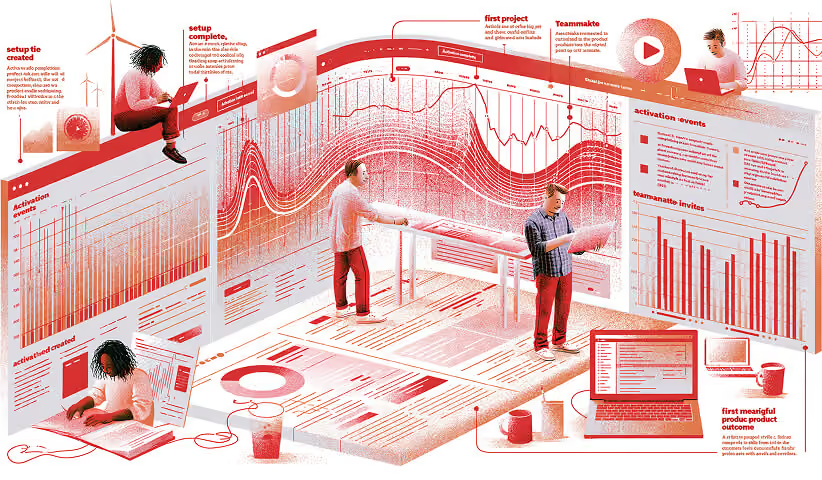
For the hypothetical project management product, an activation hypothesis might be: “A team creates a project, assigns tasks, and completes its first shared workflow within the trial.” That is an illustrative definition, not a proven benchmark. Test whether the milestone is associated with continued use and refine it accordingly.
Activation emails can help users overcome specific barriers:
- Explain a missing setup step.
- Offer help connecting a required integration.
- Demonstrate a workflow relevant to the user’s role.
- Point to support when progress stalls.
- Acknowledge a completed milestone and suggest a useful next step.
Feature adoption comes after, or alongside, activation. Recommend features because they support the customer’s goals, rather than because they are available.
Milestone messages should use accurate product data. A statement such as “Your team completed its first shared project” is useful only when the event has actually occurred and the message reaches the appropriate recipient.
Stop reminders when the requested action is complete. Where several users share an account, distinguish individual progress from team-level adoption.
Stage 4: Retention, Expansion, and Renewal
After purchase, lifecycle email should help customers continue receiving value. Useful content may include role-specific tutorials, workflow examples, relevant release notes, and invitations to get help.
For customer retention, interpret activity in context. Lower usage could indicate difficulty, but it could also reflect a seasonal workflow or a task the customer has already finished. Use email to investigate and assist rather than assuming every inactive user is about to cancel.
Evaluate retention using clearly defined cohorts. Cohort retention measures how many members of a group sharing a starting event remain active or subscribed after a specified period. For example, you might track what proportion of accounts that first became paying customers in January still have active paid subscriptions three months later. Keep paid-account retention separate from individual user activity.
Expansion Based on Customer Need
Expansion emails should explain how an additional capability addresses an observed or stated need.
Approaching a usage limit might justify a capacity discussion, but it does not automatically mean an upgrade is the right answer. Check plan details, account context, and any active sales or support conversation before sending.
Address commercial messages to someone who can evaluate the decision. End users may need feature guidance, while administrators or account owners may need information about seats, pricing, or plan changes.
Renewal Communication With Clear Next Steps
Set renewal timing around the contract, billing cycle, and customer’s decision process. Reminders 60, 30, and seven days before an annual renewal are one possible schedule—not a requirement for every SaaS business.
Explain the actual renewal date, applicable pricing, required action, and where to ask questions. Use verified usage summaries where they help the customer assess value.
Keep billing receipts, security notices, and other necessary service communications distinct from promotional sequences. Coordinate ownership so marketing, billing, and customer success do not send conflicting information.
Stage 5: Advocacy and Re-Engagement
Advocacy and re-engagement serve different customer situations.
After a verified success milestone, invite customers to share honest feedback, contribute a case study, or refer someone who may benefit. Make participation optional and request permission before reusing their words or results.
For inactive users or former customers who remain eligible for marketing, explain a relevant improvement, offer assistance, or provide a clear route back. Stop the sequence when they return, opt out, or complete the planned follow-up.
Across every stage, identify the customer’s next useful step, determine whether email can help, and stop or change the message when their situation changes.
Want to learn more about brand platforms, Brand Strategy and Brand Identity? Keep reading!
If you need help with your companies brand strategy and identity, contact us for a free custom quote.
Core SaaS Email Campaign Types to Consider
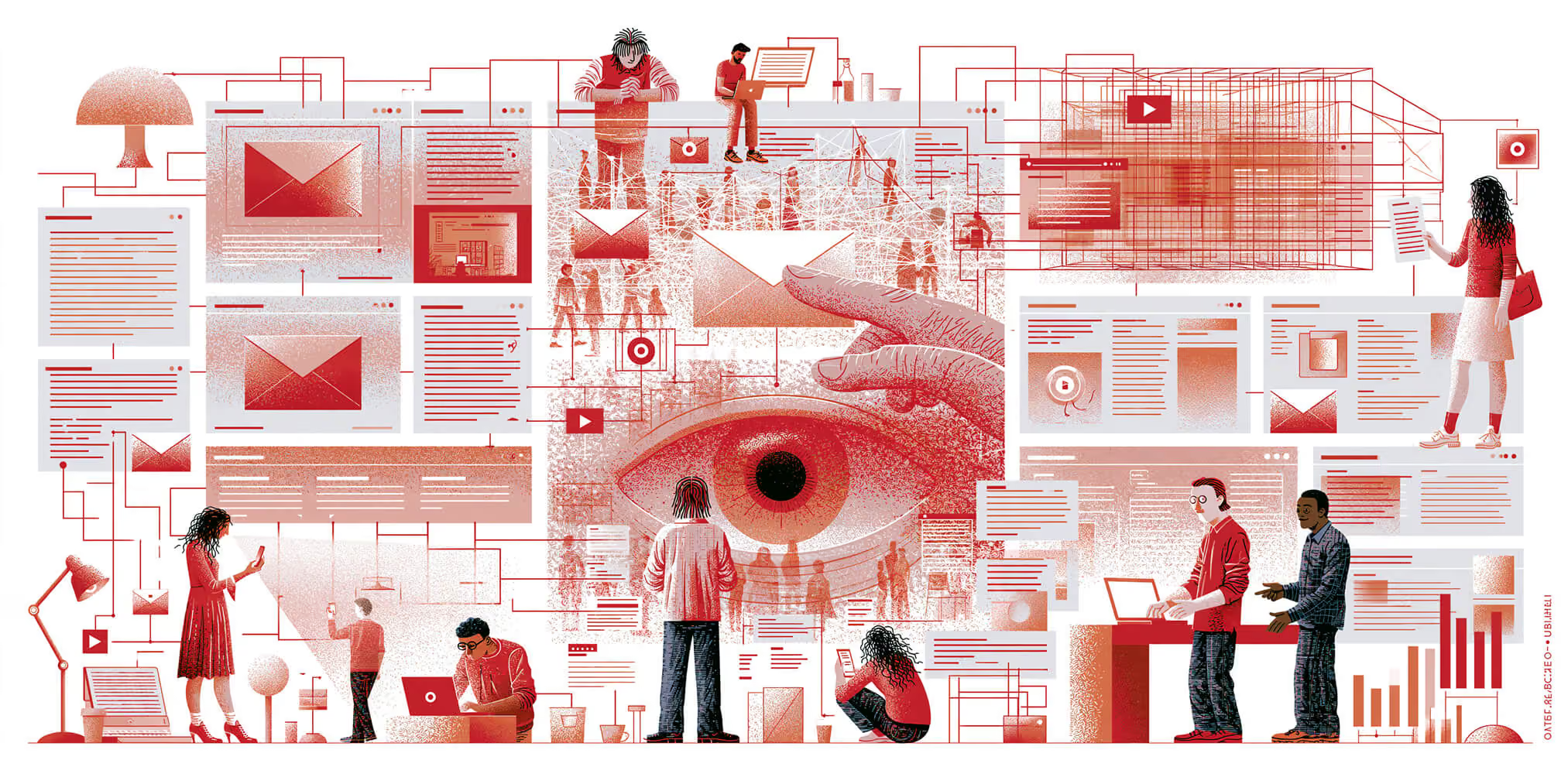
Choose SaaS email campaigns according to the customer needs they address. Some messages belong in automated sequences, while others work better as scheduled newsletters, product announcements, or individual outreach.
For each campaign, define the audience, purpose, eligibility rules, and desired outcome. Decide who owns the message and when recipients should stop receiving it.
Welcome and Onboarding Campaigns
A welcome email should arrive promptly after signup and explain what happens next. Include the relevant account or trial information, a useful first step, and a clear way to get help.
Match subsequent messages to the user’s role, plan, and progress. An enterprise administrator configuring a team account needs different guidance from an individual exploring a free plan.
Choose the format that best communicates the task. A short text email may suit a check-in, while screenshots or a brief demonstration may make setup instructions easier to follow. Plain-text formatting alone does not guarantee better deliverability.
Hypothetical example: A project management company replaces a feature-heavy onboarding sequence with guidance on creating a project, assigning tasks, and completing a shared workflow. It then measures whether more eligible accounts reach its defined activation milestone within the trial period. This illustrates a testable approach, not a documented performance result.
Behavior-Triggered Product Emails
Behavior-triggered emails respond to an action or an unmet condition. Their purpose is to provide guidance that reflects the user’s current situation.
Possible triggers include:
- Required setup remains incomplete.
- A user connects an integration.
- An administrator invites the first teammate.
- An account approaches a relevant usage limit.
- Meaningful product activity declines.
Select thresholds based on how customers use your product. Seven days without activity might warrant attention for a daily workflow, but be normal for software used monthly.
Before sending, check whether the action has already been completed, whether the recipient has permission to act, and whether another team is already helping. A useful email marketing strategy defines these exclusions as carefully as its triggers.
Educational Newsletters and Content Series
Educational newsletters give customers useful information outside a specific automated journey. They can include:
- Practical workflow examples.
- Relevant product updates.
- Templates and checklists.
- Answers to common questions.
- Interviews with experienced users.
- Guidance tailored to a particular role or industry.
Segment when the distinction changes the content. Administrators may need governance and team-management guidance, while end users may benefit from shortcuts and task-specific tutorials.
Use a sustainable schedule and coordinate newsletters with onboarding and promotional sequences. More frequent communication is not automatically more useful.
Retention Support and Re-Engagement Campaigns
Declining usage, repeated support difficulties, or incomplete adoption may justify outreach. These signals should prompt investigation rather than an automatic assumption that the customer will cancel.
A support-oriented sequence might include:
- A brief check-in related to the observed difficulty.
- Guidance on the relevant workflow.
- An invitation to explain what is getting in the way.
- An offer of appropriate human support.
Not every customer needs every message. Stop or adapt the sequence when the issue is resolved, the customer responds, or an account owner takes over.
Treat payment failures separately from engagement problems. A billing contact needs accurate payment information, while an end user may need product assistance.
Referral and Advocacy Campaigns
Referral and advocacy emails invite customers to share an experience they are comfortable endorsing. Consider asking after a verified success milestone or positive conversation, while checking for unresolved issues.
Make the request clear:
- Explain what participation involves.
- Provide an accessible referral or submission link.
- State any incentive and its conditions.
- Explain how submitted content may be used.
- Make participation optional.
A high satisfaction score can inform timing, but it does not establish permission to publish a testimonial. Obtain approval for customer names, quotes, and results before using them in marketing.
Personalization, Segmentation, and Data-Driven Email Strategy
SaaS email personalization means adapting a message to the recipient’s needs and situation. It can change the guidance, offer, timing, or next step—not just the greeting.
Use reliable, relevant information from your product, CRM, billing system, and customer success records. More data is useful only when it helps make a better communication decision.
Building Meaningful Segments
Start with dimensions that influence what someone needs:
- Lifecycle stage: Evaluating, onboarding, activated, paying, renewing, or canceled.
- Role: End user, administrator, account owner, or billing contact.
- Product adoption: Which meaningful workflows have been completed.
- Plan and entitlements: Which features the customer can access.
- Account characteristics: Team size, industry, and relevant use case.
- Recent activity: Whether usage matches the product’s expected pattern.
- Support context: Whether an unresolved issue should change or pause outreach.
For example, an account approaching a plan limit may warrant a capacity discussion. An account paying for many unused seats may need adoption support before an expansion offer.
Neither signal should automatically trigger a sales pitch. Check the customer’s goals, contract, and account history first.
Dynamic segments update as their defining conditions change. They are useful for ongoing lifecycle messaging. Fixed cohorts preserve membership based on a starting event or period, making them useful for consistent analysis. Use each according to its purpose.
Relevant Personalization in Practice
Personalization should help recipients understand why a message matters and what they can do next.
Illustrative subject lines include:
- “Your first report is ready—here’s how to schedule the next one”
- “A setup checklist for your new teammates”
- “Approaching your storage limit? Review your options”
Use these only when the underlying data supports the statement. Avoid exposing sensitive account details in subject lines, especially when recipients may view them on shared screens.
Conditional content can provide different guidance to administrators and end users while maintaining a consistent design. Include fallback content when role or usage data is missing.
Respect communication preferences and limit personalization to information appropriate for the recipient. Keep essential service messages separate from optional marketing, and give customers clear ways to manage the latter.
Using Email to Educate Users and Support Customer Success
Educational email should help users accomplish something useful with the product. Marketing, product, support, and customer success teams can work together to identify those tasks and provide consistent guidance.
Start with barriers customers actually encounter. A well-timed explanation of a confusing step may be more useful than a broad tour of advanced features.
Designing Educational Email Series
Build a short series around a defined outcome. For example, a hypothetical “Automation Fast Start” series could help users:
- Choose a suitable task to automate.
- Connect the required data or integration.
- Configure an initial workflow.
- Test the output and resolve common errors.
- Review the workflow after it has run.
Deliver the lessons according to progress where possible. If you use a timed schedule, treat it as a starting point to test and skip guidance that is no longer relevant.
Useful formats include short instructions, captioned demonstrations, checklists, and links to detailed documentation. Provide enough information in the email to explain the next step without requiring someone to watch a video.
Avoid promising completion times unless they have been tested for the intended audience.
Showcasing Customer Success Stories in Email
A customer story should help the reader assess how an approach might apply to their situation. Useful elements include:
- The customer’s context and initial problem.
- The workflow or implementation change.
- A documented outcome, where available.
- The measurement period and relevant limitations.
- An approved quote.
- A related resource or next step.
For example, a verified story about automating recurring reports could explain which manual steps changed and how time savings were measured. If those records are unavailable, describe the implementation without inventing a percentage improvement.
Match stories to the reader’s use case and implementation capacity. A small team may find a comparable customer example more useful than a large enterprise transformation.
Addressing Recurring Support Questions
Support conversations can reveal where proactive education is needed. Look for repeated questions about setup, permissions, integrations, or specific workflows, then turn the answers into targeted resources.
A message could link to a troubleshooting guide, explain a commonly missed step, or offer help from the appropriate team. Your content marketing resources should stay aligned with current product behavior and documentation.
Measure whether recipients complete the task and whether related support patterns change. Fewer tickets alone do not establish a better experience; customers should still be able to reach support easily.
Re-Engaging Inactive and Former Customers
Re-engagement emails offer a relevant route back to the product. Distinguish between an inactive user, an inactive account, and a canceled subscription before choosing the message.
An individual may stop logging in while colleagues continue using the account. A customer may also receive value through automated reports or integrations without opening the interface regularly.
Define inactivity using meaningful product activity and expected usage patterns. Avoid applying the same 30-, 60-, or 90-day threshold to every product.
Designing a Re-Engagement Sequence
An illustrative sequence could include:
- A contextual check-in: Ask whether the customer still needs help with the relevant task.
- A useful reminder: Reference a verified workflow or outcome they previously used.
- A relevant update: Explain an improvement that addresses their likely needs.
- A preference check: Let them manage or stop optional messages.
Send only the steps that remain relevant. Exit the sequence when the customer resumes meaningful activity, replies, opts out, or reaches the final planned message.
Make returning straightforward with links to the relevant workspace, documentation, or support route. Avoid manufactured urgency or implying that account access is at risk when it is not.
Evaluate re-engagement using meaningful resumed activity and subsequent retention. A click or login may be an intermediate signal, rather than the final outcome.
When deciding whether to stop optional marketing to unresponsive contacts, consider multiple signals. Do not rely on opens alone.
Separate Follow-Ups for Canceled Accounts
Canceled accounts need a different approach from customers who remain subscribed but inactive. First distinguish a scheduled cancellation from a subscription that has already ended.
An optional exit survey can help identify the reason. Any later marketing follow-up should reflect that reason and the recipient’s communication preferences:
- Cost concerns: Explain a genuinely suitable lower-cost option, if available.
- Missing functionality: Follow up when the relevant capability is actually available.
- Implementation difficulties: Offer a specific route to setup assistance.
- Organizational changes: Invite the authorized account contact to discuss appropriate next steps.
A “what has changed since you left” message is useful only when there is a relevant change to explain. Choose timing around that development rather than a universal winback schedule.
State reactivation terms clearly, including pricing and any limits on restoring previous data or settings. Stop follow-ups when the customer returns, declines further contact, or completes the sequence.
Testing, Optimization, and Measurement
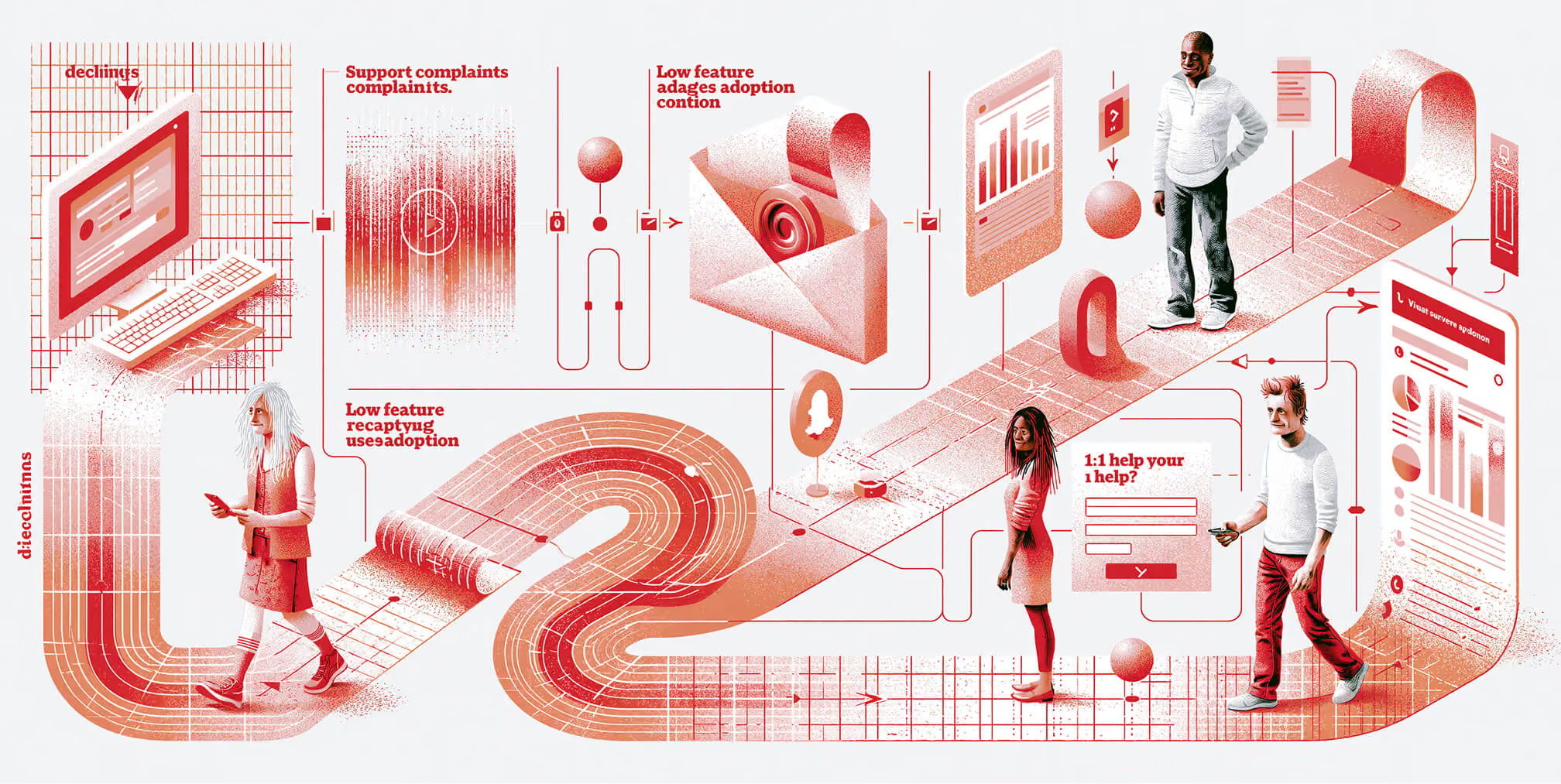
Measure SaaS email marketing against the customer milestone each campaign is intended to support. An onboarding sequence should be evaluated differently from a renewal reminder or educational newsletter.
Choose one primary outcome for each sequence, supported by engagement and sending-health metrics. Define the audience, measurement period, and calculation before comparing results.
Choose Metrics That Match the Lifecycle Stage
Useful measures include:
- Activation rate: The percentage of eligible users or accounts that complete your defined activation milestone within a specified period. State whether you are measuring individuals or accounts.
- Trial-to-paid conversion: The percentage of a defined trial cohort that becomes paying customers within the chosen conversion window. Allow every trial in the comparison enough time to reach that window.
- Feature adoption: The percentage of eligible users or accounts that complete a meaningful action with the feature during the measurement period.
- Cohort retention: The percentage of a group sharing a starting event that remains subscribed or meaningfully active after a defined interval. Specify which type of retention you mean.
- Account churn: The percentage of paying accounts present at the start of a period that leave during that period.
- Expansion revenue: Additional recurring revenue from existing customers through upgrades, added seats, or paid add-ons.
- Net revenue retention: Starting recurring revenue from existing customers, plus expansion, minus contraction and churn, divided by that same starting revenue. New-customer revenue is excluded.
- Unique click-through rate: The percentage of delivered recipients who register a tracked click, using consistent filtering and definitions.
- Sending health: Bounces, unsubscribes, spam complaints, and relevant customer replies.
For percentage-based measures, multiply the resulting ratio by 100. Keep definitions consistent across reporting periods so changes reflect performance rather than a different calculation.
Understand the Limits of Open Rates
An email open does not reliably establish that someone read the message. Apple Mail Privacy Protection can generate automatic opens, making open rates less useful as a measure of recipient attention.
Klaviyo provides an Apple Privacy Open flag to help identify affected events. Its guidance on Apple privacy opens explains why these events do not necessarily represent a person opening an email. This measurement issue matters even if your SaaS business uses another email platform.
Click-to-open rate inherits the same limitation because its calculation relies on tracked opens. Use open-related metrics as secondary diagnostics, alongside clicks, replies, and verified product actions.
Check the Experience Before Testing Performance
Before launching or changing a sequence, verify that:
- The message displays clearly on mobile and desktop.
- Links, buttons, and support routes work.
- Personalization has appropriate fallback content.
- Product instructions match the current interface.
- Completed actions remove users from unnecessary reminders.
- Recipients are eligible for the message.
- Campaigns and automated sequences do not create conflicting sends.
A broken link or incorrect eligibility rule needs fixing before a subject-line experiment can provide useful insight.
A/B Testing High-Impact Elements
Start with a specific question, such as: “Does a task-focused onboarding email help more trial accounts complete setup than a general product introduction?”
Choose a primary outcome and measurement window before the test. Useful elements to compare include:
- Subject line and preview text.
- Message framing.
- Primary call to action.
- Length and level of detail.
- Text-led versus visually guided instructions.
- Timing relative to a product event.
- The next step offered to the recipient.
Keep other conditions stable when testing one element. Randomly assign eligible recipients, and consider assigning entire accounts when multiple users from the same company could influence one another.
Allow enough time for the intended action to occur. Small samples or a handful of conversions may not support a reliable winner. Avoid ending a test simply because one version takes an early lead.
Maintain a testing log with the hypothesis, audience, variants, dates, outcome, and decision. Review negative signals as well: a version that produces more clicks but also more complaints may not be the better choice.
Connecting Email Metrics to Revenue and Retention
Use product analytics, CRM, billing, and email records to follow the relevant customer journey. Web analytics can add context, but in-product events and billing records are needed to verify outcomes such as activation, upgrades, and renewals.
Ask questions that match the sequence’s purpose:
- Did eligible trial accounts complete the activation milestone?
- Did users who received feature guidance adopt the relevant workflow?
- Did inactive accounts resume meaningful use?
- Did existing customers expand their subscription?
- Did accounts due for renewal remain subscribed?
Separate attributed outcomes from incremental impact. Attribution assigns credit according to reporting rules; it does not establish that the email caused the outcome.
Where volume and circumstances allow, a randomized holdout group can help estimate the additional effect of an optional marketing sequence. Do not withhold necessary billing, security, or service communications for this purpose.
Report results with the cohort, time period, sample size, and relevant context. A product release, pricing change, or change in acquisition quality may also affect conversion and retention.
Use these findings to decide which lifecycle journeys need attention. Detailed reporting is useful when it leads to a concrete improvement in customer communication or support.
FAQs About SaaS Email Marketing
How often should a SaaS company email its users?
Frequency should reflect the customer’s stage, product usage, and communication preferences. New users may need several messages around setup, while established customers may benefit from occasional updates and event-based guidance.
Coordinate total frequency across marketing, product, and customer success. Monitor complaints, unsubscribes, replies, and product outcomes, and let customers choose the types of optional communication they receive.
How large does a SaaS email list need to be before using automation?
There is no minimum list size that makes automation worthwhile. Start when a recurring customer need can be served reliably, such as welcoming a new trial user or helping someone complete setup.
More complex branching should follow meaningful differences in customer needs and available data—not an arbitrary contact threshold. A small, well-maintained sequence can be more useful than a complicated program with insufficient volume to evaluate.
How can SaaS emails feel helpful rather than overly promotional?
Give each message a clear purpose from the recipient’s perspective. Explain a useful workflow, answer a question, or show how a relevant capability addresses an actual need.
There is no universal ratio of educational to promotional emails. An upgrade message can be helpful when it explains suitable options at the right moment, while an educational message can still feel irrelevant if the customer has already completed the task.
What tools support a SaaS lifecycle email strategy?
Start with an email platform that supports your required triggers, segmentation, preference management, testing, and reporting. Connect the product, CRM, and billing data needed to make those functions reliable.
Check whether the platform can distinguish users from accounts, update eligibility as activity changes, and coordinate with customer success workflows. Feature availability and integrations should be verified against your specific requirements.
Transactional communications may use separate infrastructure from marketing emails. What matters is reliable delivery, appropriate message classification, consistent branding, and clear ownership.
How long should a SaaS onboarding email sequence be?
The sequence should last long enough to guide users through the necessary milestones, with timing adapted to the trial length, implementation complexity, and customer progress.
Start with the essential steps and add messages only when they address a distinct need. Stop completed-task reminders, adapt the sequence after purchase, and update it whenever the product or onboarding process changes.
What is a good activation rate for a SaaS product?
There is no universal benchmark without a shared activation definition, audience, and measurement window. A simple self-service tool and an enterprise platform requiring implementation are not directly comparable.
Define a milestone that indicates initial value, establish your own baseline, and compare like-for-like cohorts. Examine whether reaching that milestone is associated with continued use before treating it as a reliable success indicator.
Can email marketing reduce SaaS churn?
Email can support retention by helping customers adopt useful workflows, understand changes, and access assistance. It cannot resolve every cause of churn, including poor product fit or persistent service problems.
Evaluate retention over a suitable period and account for other changes in the customer experience. Use customer feedback alongside behavioral data to identify what needs improvement.
Turn Lifecycle Insights Into Better Customer Support
Start with one customer journey that has a clear gap. Define the desired milestone, build relevant messages, test eligibility and exit rules, and review whether customers make progress.
Expand the program as you learn. A useful SaaS email strategy grows from evidence about customer needs, supported by coordination between marketing, product, and customer success.

Quincy Samycia
As entrepreneurs, they’ve built and scaled their own ventures from zero to millions. They’ve been in the trenches, navigating the chaos of high-growth phases, making the hard calls, and learning firsthand what actually moves the needle. That’s what makes us different—we don’t just “consult,” we know what it takes because we’ve done it ourselves.
Want to learn more about brand platform?

If you need help with your companies brand strategy and identity, contact us for a free custom quote.
We do great work. And get great results.
+2.3xIncrease in revenue YoY
+126%Increase in repurchase rate YoY


+93%Revenue growth in first 90 days
+144% Increase in attributed revenue


+91%Increase in conversion rate
+46%Increase in AOV


+200%Increase in conversion rate
+688%Increase in attributed revenue