Offline Conversion Tracking in Google Ads: Setup Guide
11/23/2026
Marketing Services
Connect Google Ads to real sales outcomes so you can spot wasted spend, improve lead quality and optimize campaigns for revenue instead of form fills.
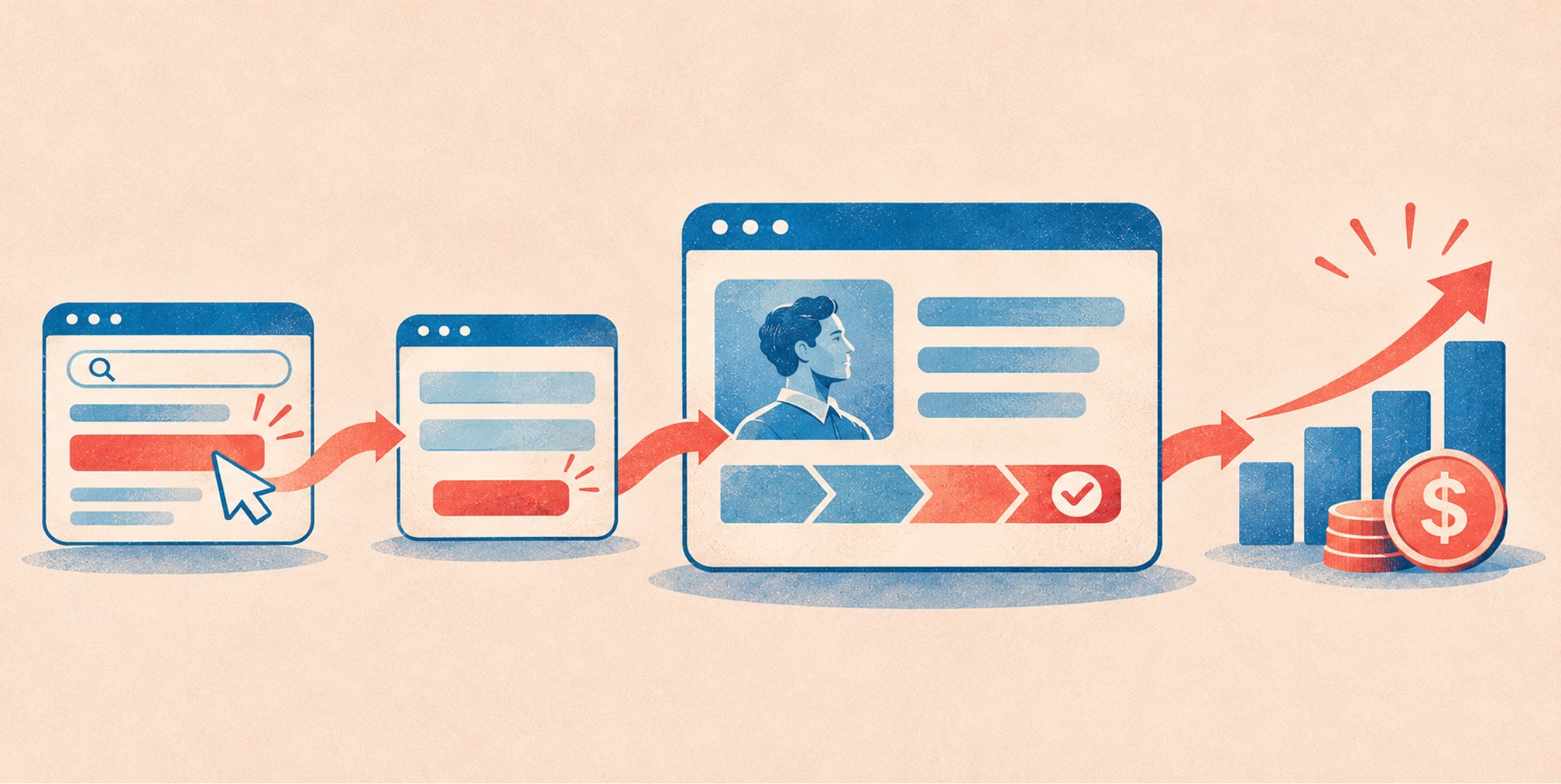
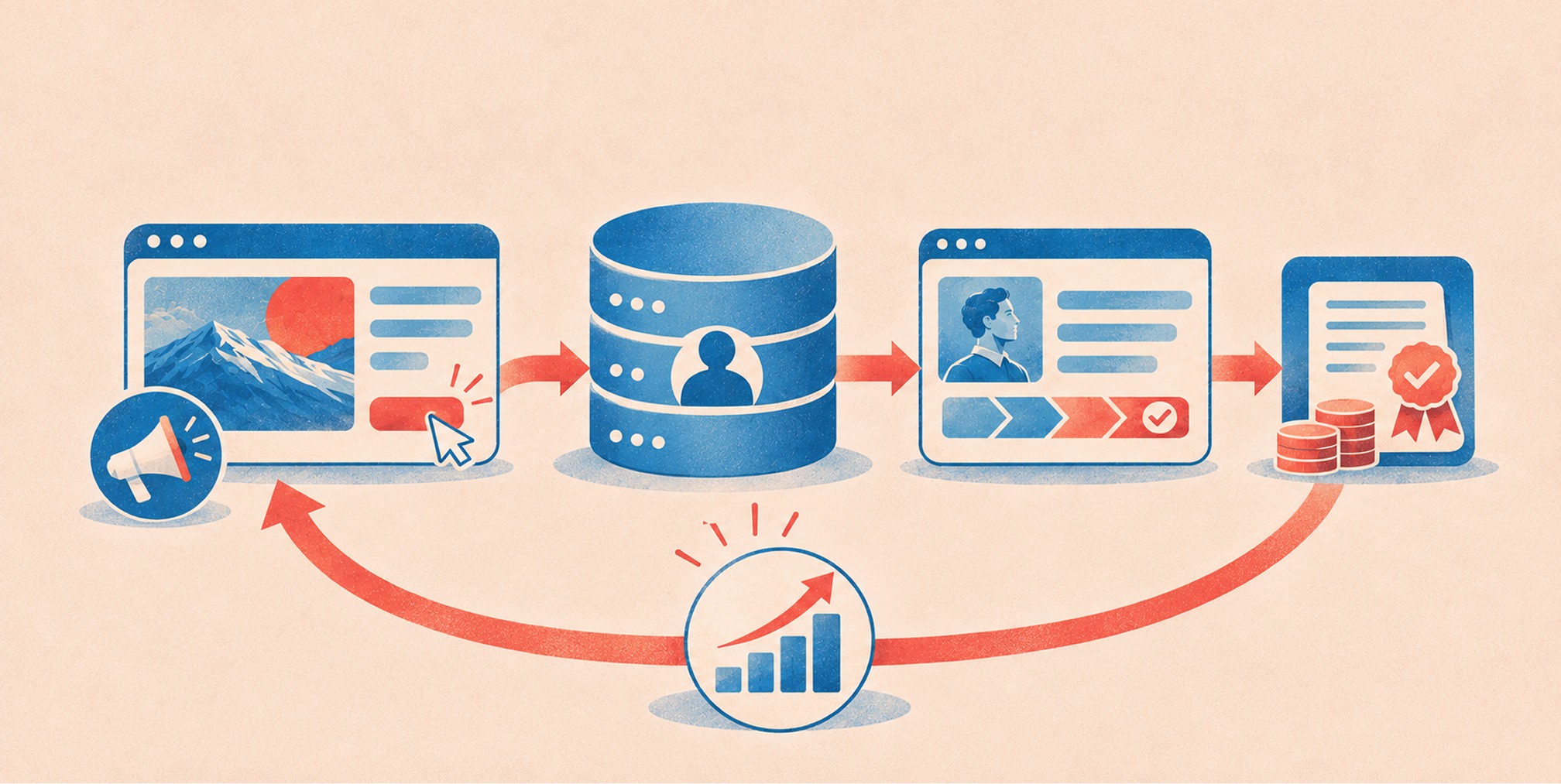
Offline conversion tracking connects an ad click to what happens after the form fill: the qualified call, the signed contract, the renewal. You capture a click identifier when the lead arrives, store it in your CRM, and send it back to Google Ads with the outcome. Google then sees which campaigns and keywords produce revenue, not just inquiries. For a B2B company whose sales cycle runs through a CRM, that is the difference between optimizing for cheap leads and optimizing for customers.


What offline conversion tracking measures
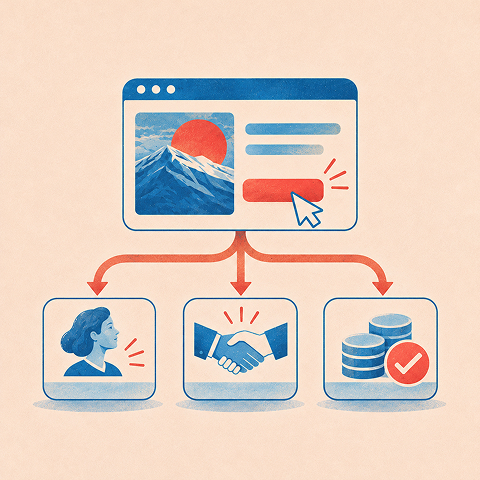
A standard Google Ads conversion fires on your website: a form submission, a demo request, a purchase. Many of the outcomes that matter to a growth-stage company happen somewhere else. Google’s documentation describes offline conversion imports as a way to measure what happens offline after an ad leads to a click or call, such as a sale at your office or over the phone.
In practice, for the CEOs, CMOs and marketing directors reading this, the outcomes usually look like this:
• Qualified lead: A form submission that sales confirms matches your customer profile and intent criteria.
• Sales opportunity: A prospect who enters a genuine sales process, such as a completed discovery call or approved proposal.
• Closed-won deal: A contract or sale with confirmed value, recorded against the originating lead.
• Qualified phone call: A tracked inbound call evaluated against documented qualification rules.
A form fill is a signal. A qualified lead is a decision your sales team makes. Offline conversion tracking is how that decision travels back to the ad platform.
Why it changes how you spend
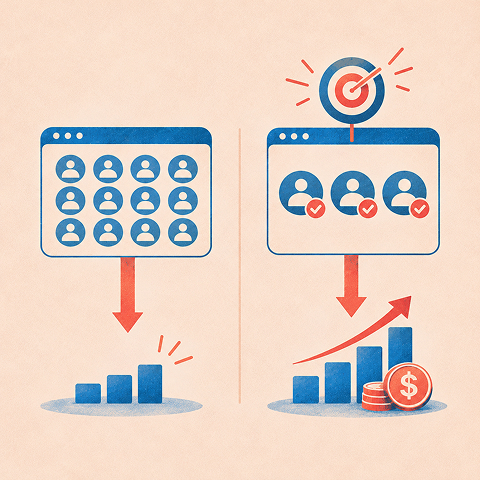
Without it, Google optimizes toward whatever your website tag can see. If a campaign produces many low-quality form fills, the algorithm treats it as a success, because it cannot see that sales rejected those leads.
With offline data, the picture changes in three ways.
Bidding learns from lead quality. Google’s lead generation playbook explains that uploading lead data helps Google understand lead quality and find similar customers, and that Smart Bidding combines this data with real-time user intent. Target ROAS bidding can also factor in what different conversions are worth, so a closed deal can carry a very different value from a raw inquiry.
Reporting reaches revenue. You can see cost per opportunity and cost per closed deal by campaign and keyword, rather than cost per form fill. That is the number a board or investor asks about.
Budget moves with evidence. When a keyword generates fewer leads but more closed revenue, you find out in weeks, not at the end of a sales cycle review.
This matters most when your sales cycle is long, your deal sizes vary widely, or your lead volume includes a lot of noise. It is less useful if you have only a handful of conversions a month, because the bidding system needs volume to learn from. We cover the volume question in the setup section below.
If attribution models are part of the same conversation, our comparison of marketing attribution models explains how credit gets assigned across touchpoints. And if your reporting stack is GA4, connecting CRM data to revenue is the companion step.
How the match works: GCLID and enhanced conversions for leads
There are two ways to tie an offline outcome back to an ad.
Matching with the GCLID
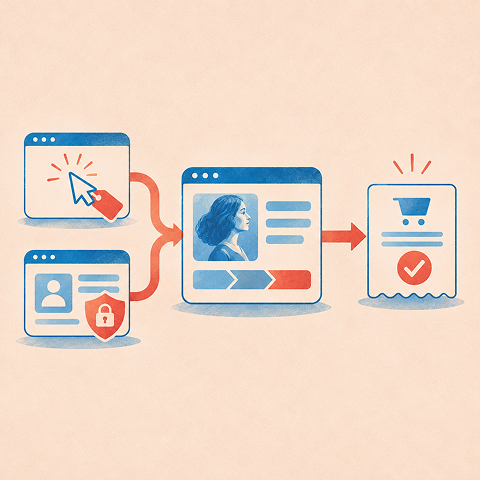
Google assigns a unique GCLID (Google Click ID) to each click on your ad that lands on your website. As Google explains, you save that ID with the lead’s information. When the person converts offline, for instance by signing a contract, you return the GCLID along with the conversion type and time. Google Ads then records the conversion alongside your other conversion data.
The workflow in a CRM looks like this:
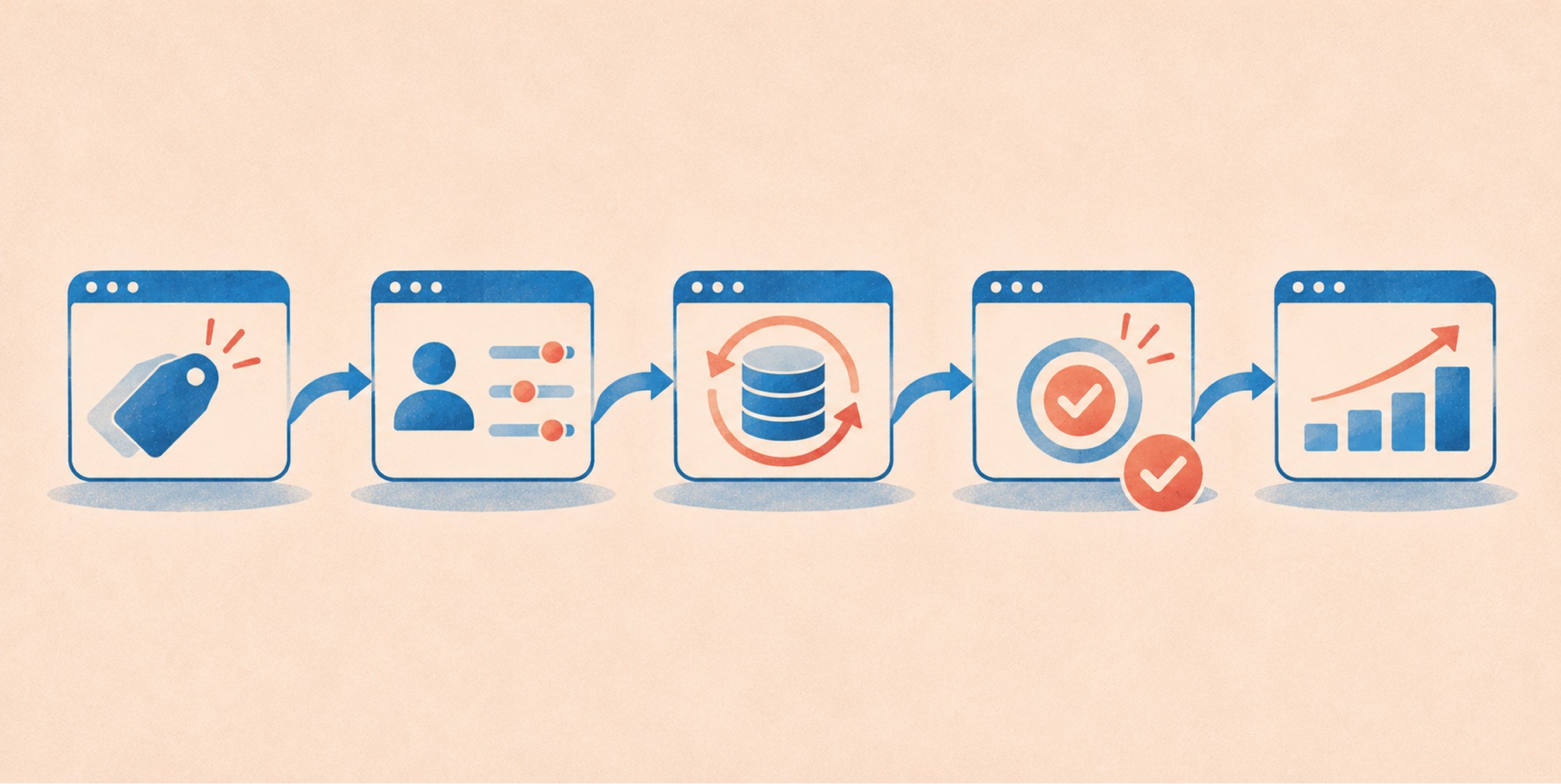
1. Enable auto-tagging, preserve the GCLID or other supported click identifier, and capture it on the website or form.
2. Save the click identifier with the CRM lead record, alongside source, timestamp and permission status.
3. When the lead reaches a selected CRM stage, create a conversion event with the corresponding action, time and value.
4. Submit the event through an eligible Google Ads Data Manager connection or Data Manager API integration.
5. Check import diagnostics, rejected records and match quality, then reconcile with the CRM.
Matching with hashed first-party data
Sometimes there is no GCLID: the lead called instead of filling in a form, or the identifier was lost along the way. Enhanced conversions for leads lets you match on hashed email addresses or phone numbers that the person gave you. Google’s API documentation requires one to five user identifiers per upload (a hashed email or a hashed phone number) and recommends including the GCLID alongside them whenever you have it. Conversions that carry only user-provided data still contribute to campaign optimization.
The practical rule: capture both. Store the GCLID and the email or phone number at the moment of the form submission, and your match rate does not depend on a single field surviving your tech stack.
Setting up offline conversion tracking in Google Ads
Here is the sequence, with where each step tends to fail.
Step 1: Turn on auto-tagging and capture the GCLID
Google’s GCLID setup guide lists the prerequisites: auto-tagging enabled, access to your site code so you can capture the gclid URL parameter, and storage of each GCLID with the prospect’s information.
Where it goes wrong: the GCLID is case-sensitive, so any system that lowercases or truncates the value breaks the match. Redirects and form tools that strip URL parameters lose it entirely. Test by clicking your own ad in a test campaign and confirming the full value lands in the CRM record intact.
Step 2: Define the stages worth sending back
Decide which CRM milestones become conversions. Most B2B teams use two or three: marketing-qualified, sales-qualified, closed-won. Each becomes its own conversion action, and each can carry a value.
Where it goes wrong: sending every lifecycle stage turns reporting into noise. Choose the stages your sales team agrees are real signals, and assign values that reflect pipeline reality, not guesses.
Step 3: Create the conversion action
In the current flow described in Google’s setup guide, you go to Goals, choose to create a conversion action, and select the offline conversions option. You then connect a data source: a direct connection to your CRM, a Zapier integration, or a partner integration. The measurement setup is not active until a data source is connected.
Where it goes wrong: the primary versus secondary setting. Google notes that conversion actions must be correctly set as primary (used for bidding) or secondary (reported only), or Smart Bidding will not optimize effectively. A common pattern is to start the new offline action as secondary, confirm that data flows and volumes look right, then promote it to primary.
Step 4: Mind the time windows and volume
Use the conversion window and ingestion method supported by your specific Google Ads conversion action and Data Manager source. Google’s current general import guidance says standard offline conversions uploaded more than 90 days after the associated click are not imported, while enhanced conversions for leads have a 63-day upload limit. Some connected data sources may have additional shorter click-to-conversion restrictions. For long enterprise cycles, a qualified opportunity often provides a more timely optimization signal than a closed-won contract.
Volume matters too. An older Google and CRM webinar suggested more than 30 conversions a month per account as a working guideline, with a lag under 21 days. Treat it as a planning heuristic and check current Google guidance, since the platform’s limits have changed since 2020. If your closed-won volume is thin, use a higher-volume qualified stage for bidding and keep closed-won for reporting.
Step 5: Upload, then validate
Once the connection is live, send a first batch and check the diagnostics in Google Ads for rejected rows. Compare the count of imported conversions with the count of qualified leads in your CRM. A large gap points to missing GCLIDs, expired windows or formatting errors.
Where it goes wrong: timestamps with the wrong time zone or format, and uploads that arrive in one large batch weeks late. Automate the sync so conversions flow back daily.
Free Brand Health Audit
Make sure your brand is built to sell
Search has changed. Your customers aren't just Googling anymore. They're asking ChatGPT, Perplexity, Gemini and other AI platforms what to buy, who to trust and which brands they should consider.
If your brand isn't showing up clearly in those answers, you're already losing opportunities. Our free Brand Health Audit shows you where your brand stands across traditional search, AI search and brand positioning.

Sample brand audit
Live preview
Traditional search
72
AI search (GEO)
34
Brand positioning
58
What changed in 2026

Two changes affect anyone building or maintaining this setup.
Enhanced conversions are unified. As of April 2026, Google combined enhanced conversions for web and for leads into one setting that accepts user-provided data from website tags, Data Manager and API connections at the same time, and all users were migrated to it.
New API implementations use Data Manager. According to Google’s API documentation, since June 15, 2026, new offline conversion and enhanced conversions for leads implementations must use the Data Manager API instead of the Google Ads API. Upload requests through the older route fail for Google Cloud projects that sent no offline conversion upload requests between December 17, 2025 and June 15, 2026, and legacy developer tokens were sunset on September 9, 2026.
If your CRM integration was built a few years ago by a developer who has since left, audit it now. A silent failure here means your bidding is working from stale data while reports still look fine.
Privacy and data quality for U.S. businesses
Offline conversion uploads contain customer data, so treat them as a compliance workflow, not just a marketing one.
Hash personal identifiers. Per Google’s upload documentation, email addresses, phone numbers, first names, last names and street addresses must be SHA-256 hashed before import, while country, state, city and zip code are not hashed. Emails are normalized first: trimmed, lowercased and, for gmail.com and googlemail.com addresses, stripped of periods and plus-suffixes. Phone numbers use E.164 format, the international standard that starts with a plus sign and country code. Inconsistent normalization is one of the most common reasons for a low match rate.
Opt in and accept the terms. You must opt in to enhanced conversions and accept the customer data terms before uploading user-provided data.
Carry consent through. Your offline events should reflect what the person agreed to on your site. If a visitor declined tracking, your CRM workflow should not send that lead’s data back to the ad platform. Build the consent flag into the same record that stores the GCLID.
Know the state-law picture. Google’s data retention page explains that restricted data processing, which includes honoring Do Not Sell My Personal Information opt-outs, limits how Google uses certain identifiers, and that as of July 1, 2023 it is not available in California for cross-context behavioral advertising, including Customer Match. Because state privacy laws differ and change, have your legal counsel confirm what your notices and opt-out handling must cover.
Deduplicate. If the same conversion can be reported by both a website tag and an offline upload, use a consistent transaction or order ID so it is not counted twice.
Phone calls: the other offline path
Many B2B and local-service leads start with a phone call that never touches a form. Call conversions can be imported to show which ads and keywords drive sales calls, and call tracking can log the source of each call and pass the outcome back. Our guide on tracking calls to improve business performance walks through that side of the funnel.
A quick pre-launch checklist
• Enable Google Ads auto-tagging and verify that landing pages preserve click identifiers through redirects and form submissions.
• Configure qualified-lead and closed-won events with an agreed CRM definition, conversion value, time zone and unique transaction ID where applicable.
• Choose a supported Data Manager integration or Data Manager API route for new custom implementations.
• Review enhanced conversions terms, consent and handling of customer identifiers before uploads begin.
• Test the end-to-end flow with a sample lead and inspect conversion diagnostics for rejects or unmapped fields.
• Start with reporting-only conversions until event quality and volume are reliable; then review which should be primary bidding goals.
• Monitor import freshness, missed records, duplicate events and CRM-to-Google Ads reconciliation each week.
Putting it to work in your paid media
Offline conversion data pays off when it feeds a well-structured account. Clean imports into a poorly built campaign structure still produce weak results, and a strong structure without revenue data keeps optimizing for the wrong leads. Our Paid Media Management service is built around brand-backed performance™: aligning brand, creative, digital platforms and tactics to generate measurable results. Paid Media Management starts from $5,500 per month, and Growth Strategy starts from $8,500 per month; the full list is on our pricing page. If you are weighing how Google fits against other channels, our B2B Google Ads strategy guide is a good place to start.
If your team wants one partner for the creative, the landing pages, the paid campaigns and the measurement behind them, talk to us through The Branded Agency.
Want to learn more about Email Marketing Services? Keep reading!
If you need help with your company’s branding and marketing, contact us for a free custom quote.
Our perspective
Most companies come to us with the same symptom: Google Ads shows a healthy lead count, and the sales team says the leads are weak. Both are right. The platform is rewarding what it can see.
We believe offline conversion tracking is the point where marketing stops reporting activity and starts reporting growth. When closed-won revenue flows back to the ad account, paid media becomes a full-funnel growth system with traceable, profitable results, not a lead-volume contest.
It also changes the creative conversation. Once you know which campaigns bring in customers who stay, you know which messages and which brand positioning deserve more budget. That is why we treat brand, creative, web and performance marketing as one system. The landing page that captures the GCLID, the ad copy that attracts a qualified buyer and the retention work that turns a first deal into a renewal all belong to the same measurement loop.
Our advice to CEOs and CMOs: decide which revenue event you want Google to chase, wire it up cleanly, protect your customers’ data, and then let the numbers steer the budget.
- Quincy Samycia
Frequently Asked Questions
Can I run Google Ads without conversion tracking?
You can, but you will be spending without knowing which clicks produced results, and automated bidding has nothing to optimize toward. At minimum, track the on-site actions that signal intent. Then add offline imports so the system can see which of those actions became revenue.
What is the difference between a GCLID and enhanced conversions for leads?
The GCLID is a unique ID Google attaches to an ad click, which you store and send back with the offline outcome. Enhanced conversions for leads matches on hashed email or phone data that the person provided. Google recommends sending the GCLID alongside user identifiers when you have it, so the two work best together.
How long after the click can I upload an offline conversion?
It depends on the connection. Google specifies a click-to-conversion cycle under 14 days for direct CRM and database connections such as Salesforce and HubSpot, and 90 days for imports through cloud storage, HTTP, SFTP and Google Sheets via Data Manager. For long sales cycles, import an earlier pipeline stage for bidding.
Should the offline conversion be primary or secondary?
Primary conversions are used for bidding, while secondary ones are reported only. Google warns that incorrect settings keep Smart Bidding from optimizing well. Most teams start with secondary to verify data, then switch to primary once the volume and accuracy look right.
Do I need a developer to set this up?
A direct CRM connection or a Zapier integration can reduce custom code, but capturing the GCLID on your site still requires access to your site code. New API-based builds must use the Data Manager API, so plan for developer time if you are integrating a custom CRM or data warehouse.

Quincy Samycia
As entrepreneurs, they’ve built and scaled their own ventures from zero to millions. They’ve been in the trenches, navigating the chaos of high-growth phases, making the hard calls, and learning firsthand what actually moves the needle. That’s what makes us different—we don’t just “consult,” we know what it takes because we’ve done it ourselves.
Want to learn more about brand platform?
If you need help with your companies brand strategy and identity, contact us for a free custom quote.
We do great work. And get great results.
+2.3xIncrease in revenue YoY
+126%Increase in repurchase rate YoY




+93%Revenue growth in first 90 days
+144% Increase in attributed revenue




+91%Increase in conversion rate
+46%Increase in AOV




+200%Increase in conversion rate
+688%Increase in attributed revenue