

Email Marketing for SaaS: Your 2026 Growth Guide
08/13/2026
Marketing Strategy
Turn your SaaS email strategy into a working program with product event tracking, behavioral automation, launch checks, and measurement tied to activation, paid conversion, and retention.
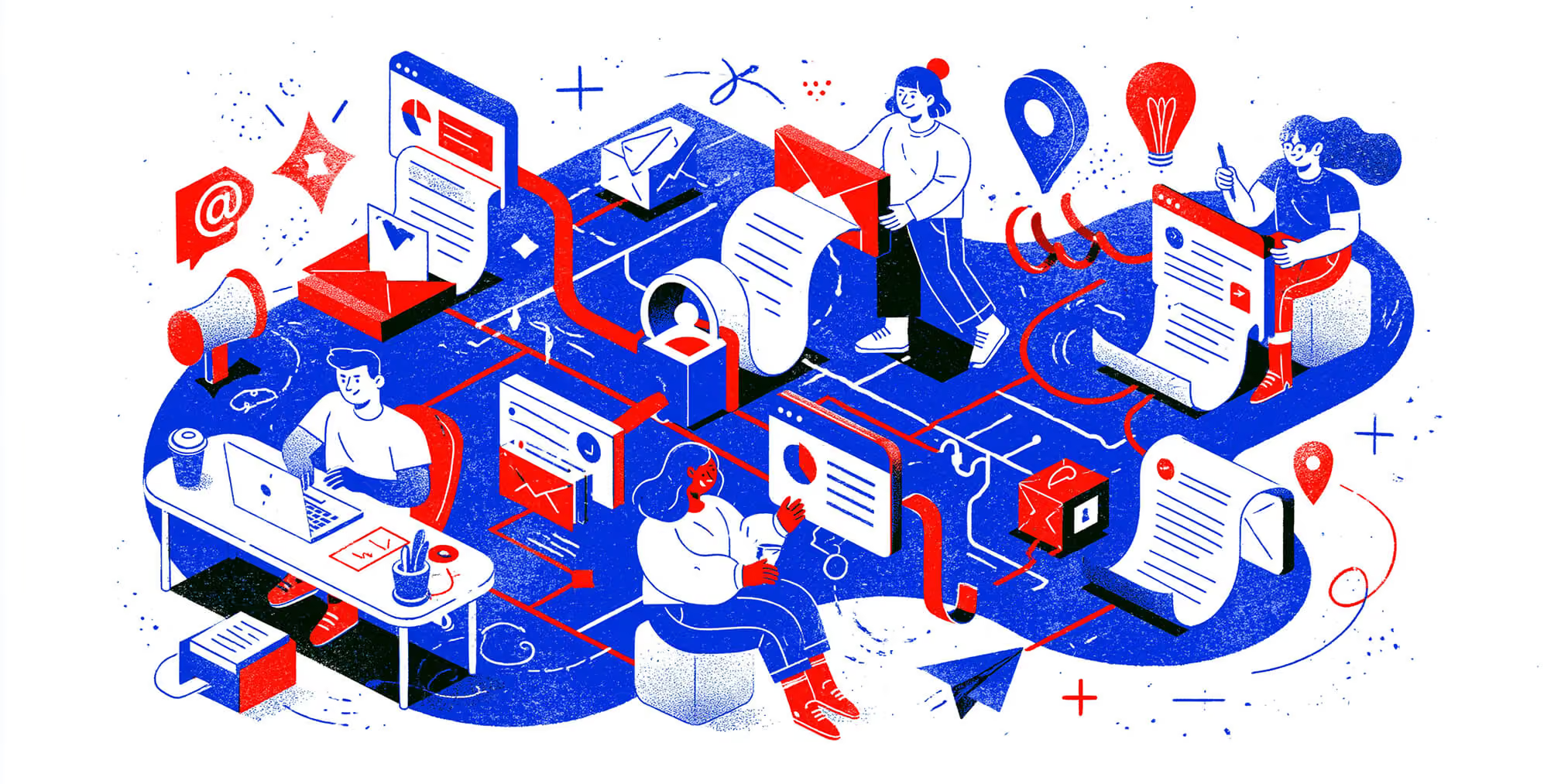
Implementing SaaS email marketing means connecting product data to relevant messages, defining when those messages should start and stop, and measuring what users do afterward. That requires reliable tracking, clear automation rules, and a shared definition of success. Before building workflows, decide which customer journeys and outcomes deserve attention. Our [SaaS lifecycle email strategy guide](https://www.brandedagency.com/blog/email-marketing-for-saas) explains how to plan onboarding, adoption, retention, and expansion programs. This implementation guide takes that plan into execution. You’ll learn how to define product events, connect user and account data, configure behavioral triggers, prevent overlapping messages, and test workflows before launch. We’ll also cover deliverability checks and how to distinguish email-provider requirements from your team’s internal performance targets. Measurement starts with a baseline and a defined outcome. Opens and clicks can help diagnose engagement, but evaluating business impact requires tracking activation, trial-to-paid conversion, and retention. Churn calculations must distinguish customer churn from revenue churn—and relative reductions from percentage-point changes. Whether you are launching your first automated sequence or repairing an existing program, this guide provides a practical framework for building, testing, and evaluating SaaS email marketing.
.png)


What Is Email Marketing for SaaS Companies, and How Does It Work?

SaaS email marketing uses customer, product, and subscription data to deliver messages that support activation, product adoption, paid conversion, and retention. Implementation involves connecting that data to rules that determine who receives an email, when it sends, and when the sequence stops.
SaaS businesses can use newsletters and scheduled campaigns alongside automated messages. The implementation challenge is coordinating these communications with what is happening inside the product and the customer’s account.
For example, a user who imported data but has not invited a teammate may need help with collaboration. A user who has completed both steps should exit those reminders and receive guidance relevant to their next task.
Before building these workflows, use your SaaS lifecycle email strategy to establish the audience, customer journey, and intended outcomes. Then translate that plan into testable automation rules.
What Does a SaaS Email Workflow Need?
A reliable SaaS email workflow needs an eligible audience, a trigger, timing rules, exit conditions, and a measurable outcome.
Define these elements before writing the sequence:
- Audience: Which users or accounts qualify, based on their role, plan, lifecycle stage, and communication preferences?
- Trigger: What event or condition starts the workflow?
- Timing: When should the message send, and should eligibility be checked again immediately before sending?
- Exclusions: Who should be suppressed because they have completed the action, entered another priority workflow, or become ineligible?
- Exit condition: What stops further messages?
- Success event: Which product or subscription action indicates progress?
Use consistent user and account identifiers so events reach the correct records. In a team-based product, distinguish an individual user’s activity from actions completed by someone else in the same account.
Subscription data matters too. For example, Stripe provides webhook events for subscription changes and payment activity that can inform connected workflows. See Stripe’s subscription webhook documentation.
Which SaaS Email Sequences Should You Implement?
Common SaaS email workflows support onboarding, adoption, retention, and expansion. Choose the first workflow according to the problem you need to solve and the data available to measure it.
The examples below illustrate implementation logic. Their timing and thresholds should be adapted to your product.
Onboarding: Help Users Complete an Activation Step
- Entry condition: A new user signs up and has not completed a defined activation event.
- Message: Explain the next useful action and link directly to the relevant product screen.
- Exit condition: The action is completed or the user becomes ineligible.
- Measurement: The percentage of eligible users who activate within a defined period, plus time to activation.
Define activation as a meaningful indication of product value. Account creation alone may not demonstrate that the user has experienced it.
Adoption: Support Relevant Feature Use
- Entry condition: An activated user has access to a relevant feature but has not used it.
- Message: Explain how that feature supports the user’s role or use case.
- Exit condition: The user completes the target action or no longer qualifies.
- Measurement: Feature adoption among eligible users and subsequent repeat use.
Check permissions and plan access before sending. An email should not direct someone to a feature they cannot use unless its purpose is clearly to explain an upgrade.
Retention: Respond to a Defined Risk Signal
- Entry condition: An account meets a documented condition, such as a decline in meaningful activity.
- Message: Offer relevant guidance, support, or a way to resolve the obstacle.
- Exit condition: Activity recovers, the account cancels, or a team member takes over.
- Measurement: Reactivation and subsequent retention over an appropriate observation period.
Set inactivity thresholds around normal product usage. Keep existing-customer retention workflows separate from win-back campaigns aimed at customers who have already left.
Expansion: Introduce an Appropriate Upgrade
- Entry condition: A qualifying account reaches a usage milestone or demonstrates a relevant need.
- Message: Explain the additional capability and its practical value.
- Exit condition: The account upgrades, loses eligibility, or enters a managed sales conversation.
- Measurement: Upgrade conversion and expansion monthly recurring revenue among eligible accounts.
Send the message to someone able to evaluate or authorize the purchase, and coordinate it with existing sales outreach.
Our retention marketing services help connect segmentation, messaging, and automated customer communication.
How Do You Calculate the Revenue Impact of Lower Churn?
A churn reduction must be calculated from a baseline churn rate. A 10% relative reduction in churn does not mean retaining an additional 10% of total monthly recurring revenue.
Consider this illustrative example:
- Starting monthly recurring revenue: $500,000.
- Baseline monthly gross revenue churn: 5%, equivalent to $25,000 in lost MRR.
- Relative reduction in churn: 10%.
- New churn rate: 4.5%, equivalent to $22,500 in lost MRR.
- Difference: $2,500 less MRR lost during that month.
The change from 5% to 4.5% is a 0.5-percentage-point decrease and a 10% relative reduction.
This example holds starting MRR constant and excludes new sales and expansion. It illustrates the arithmetic, not an expected result from email marketing.
Customer churn and revenue churn also measure different things: one tracks lost customers; the other tracks lost recurring revenue. State which metric you are using, keep the measurement period consistent, and compare equivalent groups.
To assess email’s contribution, use a suitable control group where feasible. A before-and-after improvement alone cannot establish that email caused the change.
| Sequence | Stage | What triggers it | The job it does | Cadence |
|---|---|---|---|---|
| Onboarding | Activation | A new signup | Guide the user to their first activation event, the moment they experience real value | 5 to 8 emails over 10 to 21 days |
| Adoption | Engagement | A core feature left unused after activation | Deepen usage and turn early value into a repeat habit | 3 to 5 emails triggered by feature gaps |
| Retention (win-back) | Churn prevention | Declining logins or usage across 14 to 30 days | Re-engage the user before the account goes dark | 3 to 4 emails, ending in a clear off-ramp |
| Expansion | Revenue growth | A usage milestone, such as hitting 80% of a plan limit or touching a premium feature | Move the user to a higher tier at the moment of maximum relevance | 1 to 3 behavior-triggered emails |
Implementation tip: Give each email one primary action, define the event that confirms completion, and test that the workflow stops when that event occurs. Then measure the action itself alongside clicks.
Free Brand Health Audit
Make sure your brand is built to sell
Search has changed. Your customers aren't just Googling anymore. They're asking ChatGPT, Perplexity, Gemini and other AI platforms what to buy, who to trust and which brands they should consider.
If your brand isn't showing up clearly in those answers, you're already losing opportunities. Our free Brand Health Audit shows you where your brand stands across traditional search, AI search and brand positioning.

Sample brand audit
Live preview
Traditional search
72
AI search (GEO)
34
Brand positioning
58
Which Metrics Matter Most for SaaS Email Success?
The most useful SaaS email metrics connect each workflow to a defined product or business outcome: activation, feature adoption, paid conversion, retention, or expansion revenue. Delivery and engagement metrics help diagnose performance, but they do not establish business impact on their own.
Choose one primary outcome for each workflow, supported by engagement metrics and delivery checks. Define the audience, calculation, and measurement period before launching.
Start With Product and Revenue Outcomes
Match the metric to the purpose of the sequence:
- Onboarding: Activation rate and time to activation.
- Adoption: The percentage of eligible users who complete the target feature action, followed by repeat use.
- Trial conversion: The percentage of eligible trial accounts that become paying customers within a defined period.
- Retention: Reactivation, customer retention, and revenue churn over a consistent observation period.
- Expansion: Upgrade conversion and additional monthly recurring revenue from eligible accounts.
Keep the unit of measurement consistent. If subscriptions belong to accounts, calculate paid conversion at the account level rather than counting every team member as a separate opportunity.
For help connecting these outcomes to the customer journey, see our SaaS lifecycle email strategy guide.
Define Your Conversion Rate Before Reporting It
A workflow conversion rate is the percentage of a defined audience that completes the target action within a specified period.
For example, suppose 200 of 1,000 eligible trial accounts become paying customers within 30 days. The trial-to-paid conversion rate for that group is 20%.
That figure describes the group’s performance. It does not prove the email sequence caused all 200 conversions.
To estimate incremental impact, compare equivalent groups using a randomized holdout where practical. For team-based products, assigning whole accounts to the same group can help avoid mixing treatment and control experiences within one organization.
Use Clicks and Opens as Diagnostic Metrics
Email engagement metrics answer different questions:
- Click-through rate: Unique recipients who clicked divided by delivered emails, multiplied by 100.
- Click-to-open rate, or CTOR: Unique recipients who clicked divided by unique recorded openers, multiplied by 100.
- Open rate: Unique recorded openers divided by delivered emails, multiplied by 100.
Confirm how your email platform defines and filters these metrics before comparing reports.
CTOR is not proof that an email drove meaningful product behavior. It also depends on recorded opens, which can be affected by privacy features and image loading. Apple’s Mail Privacy Protection, for example, prevents senders from reliably determining whether protected messages were opened. Read Apple’s Mail Privacy Protection guidance.
Use engagement changes to guide investigation. If clicks increase but activation does not, inspect the destination page, login experience, product steps, and event tracking before concluding that the campaign succeeded.
Monitor Delivery Health Separately
Delivery monitoring helps identify whether messages are being accepted and whether recipients want to receive them. Review:
- Hard and soft bounces, including the reported reasons.
- Spam complaints.
- Unsubscribes.
- Authentication failures.
- Deferrals and rejected messages.
- Available domain and IP reputation signals.
A message reported as delivered has generally been accepted by the receiving server; that does not confirm inbox placement.
Break down problems by receiving provider, sending domain, and message type where your reporting allows. A sudden change deserves investigation even when the overall average appears stable.
Separate Provider Requirements From Internal Targets
Google’s sender requirements apply specifically to messages sent to personal Gmail accounts. They include keeping the spam rate reported in Postmaster Tools below 0.3%, along with authentication and other technical requirements. Bulk senders have additional obligations, including SPF, DKIM, DMARC, and one-click unsubscribe for marketing and subscribed messages. Review Google’s email sender requirements.
That threshold is a provider requirement, not a desirable operating target. Your team can set stricter internal alerts to investigate problems earlier.
Likewise, a bounce-rate target chosen by your team is not automatically a universal Gmail or Microsoft rule. Crossing an internal threshold does not mean your domain will be placed on a blocklist or every future message will fail.
Build Benchmarks From Comparable Workflows
There is no single open-rate or CTOR benchmark that can diagnose every SaaS email program. Compare results against your own baseline using consistent definitions and similar audiences.
Account for:
- Workflow purpose and lifecycle stage.
- User role and subscription plan.
- Acquisition source and customer segment.
- Measurement window and sample size.
- Changes in tracking or privacy-related reporting.
An onboarding email does not automatically need a higher CTOR than a newsletter. Judge each message against its intended job and the action it helps users complete.
Our retention marketing services connect workflow planning and customer communication with measurement.
| Metric | 2026 Benchmark | What it signals |
|---|---|---|
| Open rate | 24.7% to 38.5% | Subject line and sender name strength |
| CTOR | 6.8% to 15.0% | Email body relevance and CTA clarity |
| Bounce rate | Below 1% | List hygiene and data quality |
| Spam complaint rate | Below 0.1% | Audience fit and send frequency |
Implementation tip: Before launching a sequence, document its primary outcome, denominator, measurement window, baseline, and delivery alerts. Review engagement alongside verified product events so you can distinguish a messaging issue from a tracking, delivery, or product-experience problem.
Want to learn more about brand platforms, Brand Strategy and Brand Identity? Keep reading!
If you need help with your companies brand strategy and identity, contact us for a free custom quote.
How Do You Build and Automate SaaS Email Campaigns With Behavioral Triggers?
Build behavioral SaaS email campaigns by connecting reliable product events to audience rules, message timing, exit conditions, and measurable outcomes. Start with one workflow, test the complete journey, and expand once you can verify that the automation behaves as intended.
Your SaaS lifecycle email strategy should establish which customer journeys deserve attention. Implementation turns those priorities into specific instructions your product, email platform, and team can execute.
1. Choose a Measurable Customer Action
Define the action the workflow should help someone complete. Examples include connecting an integration, publishing a first project, inviting a teammate, or upgrading a subscription.
For onboarding, identify an activation event that represents meaningful progress toward product value. Treat that definition as a hypothesis to validate against customer feedback and subsequent usage.
Document:
- The action: What must the user or account complete?
- The audience: Who needs to complete it?
- The event: Which tracked event confirms completion?
- The measurement window: How long will you observe the outcome?
Avoid using an email click as a substitute for the product action itself.
2. Connect Product and Subscription Data
Your email platform needs enough context to determine whether a message is relevant. Use stable user and account identifiers to connect activity with the correct customer record.
Depending on the workflow, useful data may include:
- Lifecycle stage and activation status.
- Subscription plan and trial end date.
- User role and permissions.
- Recent meaningful product activity.
- Feature access and usage.
- Communication preferences and suppression status.
Record when events occurred so delayed data does not make an old action look new. Prevent repeated events from creating duplicate enrollments or messages.
For subscription workflows, account for the behavior of your billing integration. Stripe, for example, documents webhook retries, duplicate events, and delivery-order considerations that integrations need to handle. Review Stripe’s webhook implementation guidance.
3. Set Entry, Timing, and Exit Rules
A behavioral trigger starts the evaluation; it should not automatically guarantee a send. Recheck eligibility after any waiting period and immediately before sending.
Consider this illustrative onboarding workflow:
- Entry: A workspace owner creates a project but has not invited a teammate.
- Delay: Wait 24 hours—a starting assumption to test against normal customer behavior.
- Eligibility check: Confirm that the account is active, collaboration is relevant, and the recipient can invite teammates.
- Message: Explain how to invite a teammate and link to the appropriate product screen.
- Exit: Stop reminders when an invitation is sent or the account becomes ineligible.
- Success measure: Track invitation completion within the defined observation period.
Check account-level activity as well as individual activity. If another administrator already completed the task, the reminder may no longer be appropriate.
4. Prioritize Workflows Around the Actual Bottleneck
There is no universal sequence order that works best for every SaaS business. Choose priorities according to customer friction, potential impact, available data, and implementation effort.
- Low activation: Investigate onboarding and the steps preventing users from reaching value.
- Weak repeat usage: Consider adoption guidance for relevant features or recurring tasks.
- Declining account activity: Test a retention workflow with a clear support path.
- Customers who have already left: Use a separate win-back workflow with appropriate eligibility rules.
- Established usage and a relevant need: Evaluate an expansion workflow.
An adoption problem may need attention before expansion. A product or support issue may require a direct fix before additional email will help.
5. Coordinate Messages Across Workflows
A customer can qualify for onboarding, product announcements, sales outreach, and upgrade campaigns simultaneously. Define how those messages interact.
Set:
- Priority rules: Which communication takes precedence?
- Frequency limits: How much marketing email can a recipient receive within a defined period?
- Exclusions: When should support activity or a sales conversation pause automated outreach?
- Re-entry rules: Can someone enter the same workflow again, and under what conditions?
- Ownership: Who investigates errors and approves changes?
Keep essential account and security communications separate from promotional frequency rules. Apply communication preferences according to the message type.
Our retention marketing services connect segmentation, messaging, and workflow planning across the customer relationship.
6. Test the Complete Journey Before Launch
Test more than the email layout. Confirm that the workflow makes the right decision when customer circumstances change.
Use test accounts to check:
- The intended event enrolls the correct recipient.
- Ineligible users remain excluded.
- Completing the action during a delay prevents an unnecessary reminder.
- Duplicate events do not produce duplicate sends.
- Plan changes and cancellations update eligibility.
- Links reach the correct screen, including after login.
- Personalization has sensible fallbacks when data is missing.
- Unsubscribe and preference changes affect queued marketing messages.
- Completion events appear correctly in reporting.
Provide an unsubscribe option throughout marketing sequences, rather than waiting until the final win-back message. Where applicable, implement provider-required one-click unsubscribe as well as a visible body link. Review Google’s email sender requirements.
7. Launch Gradually and Measure the Outcome
Begin with a limited eligible audience and monitor enrollment, exclusions, sends, exits, and completion events. Assign an owner who can pause the workflow if tracking or messaging behaves unexpectedly.
Compare results with the baseline established before launch. Where practical, use a suitable control group to estimate the workflow’s incremental contribution.
Behavioral timing creates an opportunity to be relevant; it does not guarantee conversion. Treat usage thresholds, delays, and message frequency as assumptions to test.
Implementation tip: Keep a short specification for every workflow covering its purpose, data source, audience, trigger, delay, exclusions, exit conditions, owner, and success metric. This makes automation easier to test, maintain, and improve as the product changes.
What Are the Most Common SaaS Email Marketing Challenges?
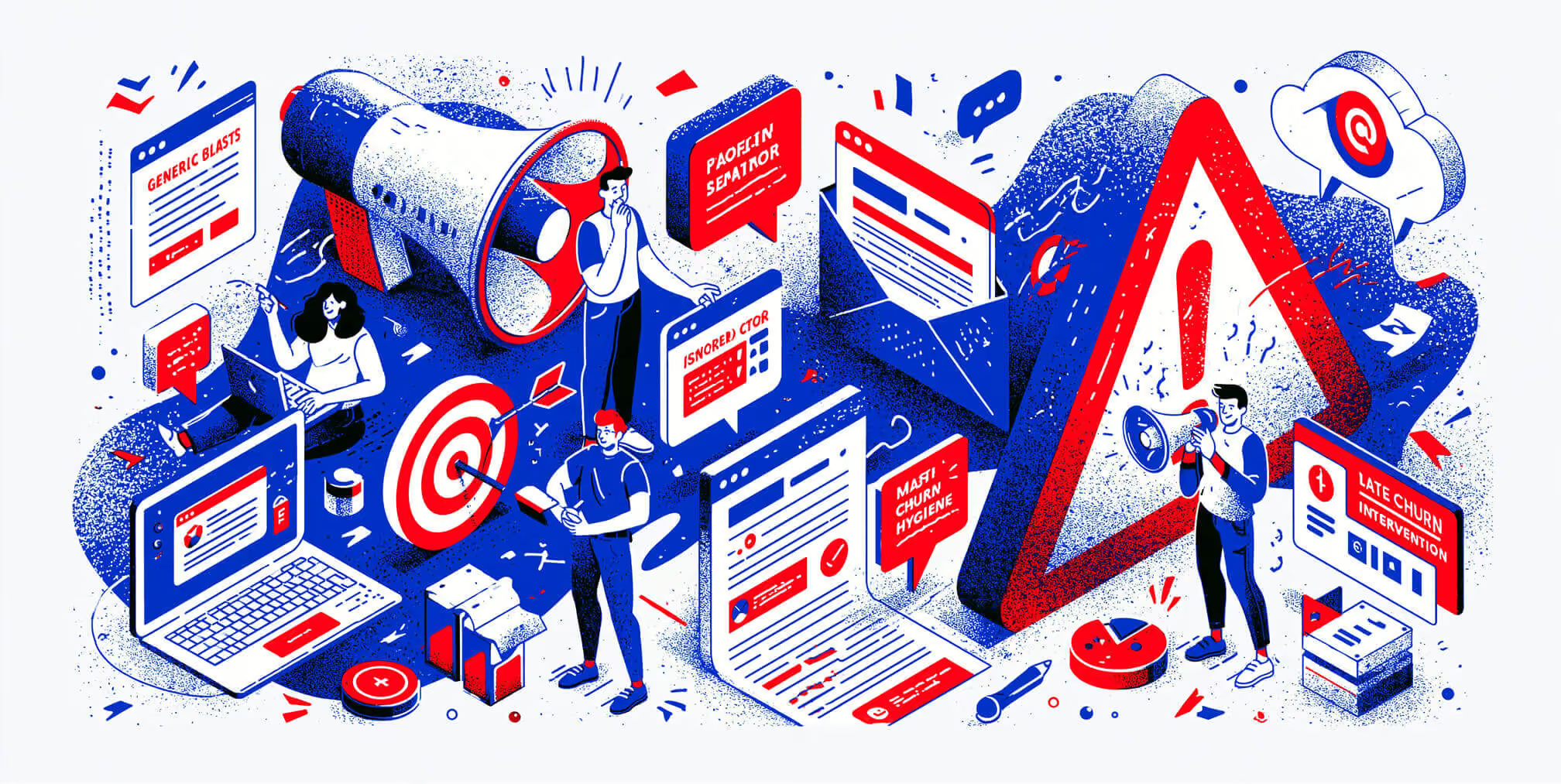
Common SaaS email marketing problems include unreliable product data, overlapping workflows, irrelevant messages, delivery issues, and measurement that stops at opens or clicks. Troubleshooting starts by identifying where the journey breaks: eligibility, sending, delivery, engagement, or product completion.
Missing or Incorrect Product Events
The symptom: Users receive reminders for actions they already completed, or eligible users never enter a workflow.
Check whether the expected event reaches your email platform with the correct user identifier, account identifier, and timestamp. Confirm that account-level activity updates everyone whose eligibility depends on it.
Assign ownership for event tracking and retest affected workflows when product features or integrations change.
Overlapping Sequences and Excessive Frequency
The symptom: A customer receives onboarding reminders, upgrade offers, and sales outreach close together.
Review the recipient’s complete message history across automated workflows and scheduled campaigns. Set priority rules, marketing frequency limits, and exclusions for active support or sales conversations.
Check eligibility again before each send. Conditions may have changed since the customer first entered the sequence.
Messages That Do Not Match the User’s Situation
The symptom: Recipients click but cannot complete the suggested action, or the message promotes something they already have.
Check role, permissions, plan access, and activation status. Test the destination after login to confirm that the recipient reaches the intended screen.
If the action is relevant but difficult to complete, investigate the product experience alongside the copy.
Delivery Problems With Unclear Causes
The symptom: Bounces, deferrals, rejections, or spam complaints increase.
Investigate authentication, recipient acquisition sources, recent sending changes, and provider-specific error messages. Review available reputation data alongside your email platform’s reports.
Google’s requirements for personal Gmail accounts cover authentication, infrastructure, spam rates, and unsubscribe functionality, with additional requirements for bulk senders. Use the Google email sender requirements as the source for Gmail-specific checks.
Do not assume that low click rates prove spam filtering or that crossing an internal alert threshold means every future email will be blocked.
Inactivity Rules That Ignore Customer Context
The symptom: Active customers are removed from useful communication, while unsuitable recipients continue receiving marketing.
Avoid using a universal inactivity period for every audience. Evaluate product usage, subscription status, communication preferences, and reliable engagement signals together.
Stop marketing to people who unsubscribe, and suppress confirmed invalid addresses. Keep essential account communications separate from promotional re-engagement decisions.
Reporting That Overstates Email’s Contribution
The symptom: Reports show strong engagement or attributed revenue without clear improvement in activation, conversion, or retention.
Confirm the audience, denominator, measurement window, and event definitions. Distinguish customers who converted after receiving an email from customers who converted because of it.
Where practical, use randomized holdouts to estimate incremental impact. Otherwise, explain the limitations of before-and-after comparisons and account for concurrent product, pricing, and campaign changes.
Key Takeaways
Effective SaaS email implementation depends on reliable data, controlled automation, relevant messages, and measurement tied to customer outcomes.
- Define the product or subscription action each workflow should support.
- Connect events to the correct user and account records.
- Recheck eligibility before sending and stop messages when conditions change.
- Coordinate automated sequences with campaigns, sales, and support.
- Separate provider requirements from internal performance targets.
- Evaluate activation, conversion, and retention alongside engagement.
- Assign an owner to maintain workflows as the product evolves.
How to Keep SaaS Email Programs Effective as You Grow
Email programs need ongoing attention because products, audiences, and account conditions change. A workflow that worked at launch can become inaccurate when features, permissions, pricing, or onboarding steps change.
Make email maintenance part of the operating process:
- Marketing maintains messaging, segmentation, and campaign coordination.
- Product and engineering maintain event definitions and data connections.
- Customer success and sales identify situations that need direct assistance.
- A designated program owner coordinates changes, reporting, and incident response.
Choose a review cadence that reflects sending volume and business risk. Investigate delivery or tracking failures promptly, and review outcome trends once enough data has accumulated to support a useful decision.
Where Human Follow-Up Fits
Automated guidance can handle repeatable tasks, while a team member may be better placed to resolve a complex implementation question, procurement concern, or account-specific obstacle.
Define the handoff conditions, assign an owner, and pause conflicting automated messages. A personal email should come from someone who can respond and help.
Neither plain-text nor designed email is universally superior. Test the format against the audience, purpose, and outcome.
How The Branded Agency Supports SaaS Email Implementation
The Branded Agency helps businesses connect customer journey planning, segmentation, messaging, creative, and ongoing optimization through our retention marketing services.
For a SaaS engagement, we scope the work around your product, existing systems, available data, and growth priorities. This can include:
- Auditing existing messages and customer journeys.
- Defining priority audiences and workflow requirements.
- Developing email copy, design, and sequence logic.
- Coordinating implementation requirements with your internal team.
- Establishing a reporting and testing plan.
Before launch, responsibilities for integrations, event tracking, quality assurance, and ongoing maintenance should be explicit.
If you need to establish the customer journey first, start with our SaaS lifecycle email strategy guide.
Talk to our team about your SaaS email program.
| Point | Details |
|---|---|
| Lifecycle over broadcast | Map every email to a specific user action or stage, not a calendar date. |
| CTOR over open rate | Click-to-Open Rate reveals whether your email body drives behavior, not just attention. |
| Deliverability thresholds | Keep bounce rate below 1% and spam complaints below 0.1% to protect your sending domain. |
| Behavior-triggered upgrades | Send upgrade emails when users hit usage milestones, not when trial timers expire. |
| List hygiene as infrastructure | Suppress inactive users after 90 days and use win-back sequences with clear unsubscribe options. |
Frequently Asked Questions About SaaS Email Marketing
What Is the ROI of Email Marketing for SaaS?
SaaS email ROI depends on the incremental value generated and the full cost of the program. There is no universal return that every SaaS company should expect.
A practical calculation is:
Email ROI = (incremental gross profit attributable to the program − program costs) ÷ program costs × 100.
Include relevant platform, implementation, creative, and management costs. Use the same measurement period throughout, and avoid treating all email-attributed revenue as incremental profit.
How Many Emails Should a SaaS Onboarding Sequence Include?
Use enough messages to support the essential onboarding steps without repeating completed tasks. The appropriate number depends on product complexity, trial length, user role, and how quickly customers progress.
Start with the critical actions, define a purpose for each message, and use completion events to stop unnecessary reminders. There is no universally proven sequence length.
What CTOR Benchmark Should SaaS Email Campaigns Target?
Set CTOR targets using comparable workflows and your own historical data. Audience intent, message purpose, tracking methods, and privacy features can all affect the result.
Use CTOR as a diagnostic metric alongside click-through rate and verified product actions. A low CTOR alone does not establish a content or deliverability problem.
How Do You Protect SaaS Email Deliverability?
Authenticate sending domains, maintain accurate recipient records, respect communication preferences, and make unsubscribing straightforward. Monitor bounces, complaints, rejections, and available reputation signals.
Follow each receiving provider’s applicable requirements. Set internal alerts to identify changes early, but do not present those targets as universal blocking thresholds.
When Should a SaaS Company Send Upgrade Emails?
Send upgrade emails when the account has a relevant need and the recipient can evaluate or authorize the purchase. Useful signals may include approaching a plan limit, needing an unavailable capability, or reaching a trial decision point.
Behavioral events and scheduled reminders can both be appropriate. Test timing, check current subscription status, and stop the sequence when the account upgrades or becomes ineligible.
How Can You Tell Whether an Email Sequence Reduced Churn?
Define the churn metric and compare equivalent groups over the same period. A randomized account-level holdout can help estimate whether the sequence changed retention.
Report the baseline and the size of the change clearly. A decline from 5% churn to 4.5% is a 0.5-percentage-point decrease, equivalent to a 10% relative reduction. A before-and-after improvement without a control does not establish that email caused the change.
Deliverability in 2026 is not just about avoiding spam words. Gmail and Microsoft now filter based on engagement patterns. A list full of users who open but never click looks suspicious to modern spam filters. The safest list is a small, engaged one.
The updated spam filters at Gmail and Microsoft in 2026 tightened requirements around engagement-based filtering. Sending to a disengaged list is now a technical risk, not just a strategic one. Treat list hygiene as infrastructure maintenance, not a quarterly task.
| Anchor text | Placeholder URL | Suggested destination |
|---|---|---|
| SaaS brand strategy | /services/brand-strategy |
Your brand strategy service page |
| conversion-focused web design | /services/web-design |
Your web design service page |
| AI-powered marketing | /services/ai-marketing |
Your AI marketing service page |
| lifecycle email programs | /services/email-marketing |
Your email or lifecycle marketing service page (create one if it does not exist yet, since this is the primary in-lane CTA) |
| talk to our team | /contact |
Your contact or consultation page |

Quincy Samycia
As entrepreneurs, they’ve built and scaled their own ventures from zero to millions. They’ve been in the trenches, navigating the chaos of high-growth phases, making the hard calls, and learning firsthand what actually moves the needle. That’s what makes us different—we don’t just “consult,” we know what it takes because we’ve done it ourselves.
Want to learn more about brand platform?
If you need help with your companies brand strategy and identity, contact us for a free custom quote.
We do great work. And get great results.
+2.3xIncrease in revenue YoY
+126%Increase in repurchase rate YoY




+93%Revenue growth in first 90 days
+144% Increase in attributed revenue




+91%Increase in conversion rate
+46%Increase in AOV




+200%Increase in conversion rate
+688%Increase in attributed revenue







