

ADA Website Compliance: What Covered Entities Must Do Now
09/17/2026
Web Design
A guide to ADA website compliance — WCAG 2.1 AA requirements, deadlines, enforcement risk, vendor contracts, and a step-by-step remediation roadmap.

ADA website compliance now requires covered entities to make web content and mobile apps accessible to people with disabilities, with the U.S. Department of Justice referencing WCAG 2.1 Level AA as the technical baseline for state and local governments. If your organization falls under Title II or Title III of the Americans with Disabilities Act, this is not a future consideration. The legal framework is in place, the deadlines are set, and enforcement is active.
.png)


Who ADA Compliance Applies To, and What Content Is Actually Covered


Here is what you need to know immediately:
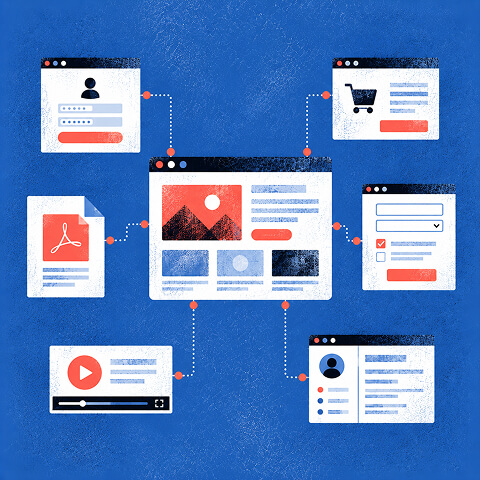
- Who is covered: Title II applies to state and local government entities (public agencies, schools, transit authorities). Title III applies to businesses open to the public, including most commercial websites.
- Compliance deadlines: Under the DOJ's Interim Final Rule, Title II entities serving larger populations must comply by a set government deadline in 2027, while smaller entities and special districts have an extended deadline in 2028.
- Immediate actions to take right now:
- Inventory your highest-traffic transactional pages (checkout, login, contact forms, account portals).
- Run a high-level automated scan using a tool like Axe, WAVE, or Lighthouse.
- Publish an accessibility statement with a working feedback channel and a response commitment.
- Schedule a manual audit with a qualified vendor, such as The Branded Agency, who can test with real assistive technologies.
The risk of waiting is concrete. Demand letters and federal complaints are filed against organizations of every size, and reactive remediation after legal pressure costs significantly more than proactive compliance.
Key Takeaways
ADA website compliance requires covered entities to meet WCAG 2.1 Level AA, document their remediation program, and maintain conformance through ongoing audits and monitoring.
| Point | Details |
|---|---|
| WCAG 2.1 AA is the standard | DOJ's 2024 rule adopted WCAG 2.1 Level AA as the technical baseline for Title II web and mobile content. |
| Compliance deadlines are set | Title II entities with 50,000+ population must comply by April 26, 2027; smaller entities by April 26, 2028. |
| Transactional flows are highest risk | Fix checkout, login, and form pages first, these are the primary targets in demand letters and litigation. |
| Automated tools alone are not enough | Pair automated scans with manual WCAG audits and screen reader testing to build a defensible compliance record. |
| The Branded Agency offers end-to-end support | From audit through remediation and monitoring, The Branded Agency's web development services cover the full compliance cycle. |
Who does ADA website compliance actually apply to?
The ADA divides covered entities into two categories, and the rules for web content differ in important ways between them.
Title II covers all state and local government entities: city and county agencies, public universities, transit authorities, public libraries, and school districts. The U.S. Department of Justice's 2024 final rule explicitly extends Title II obligations to web content and mobile apps. These entities must meet WCAG 2.1 Level AA as the technical standard, with compliance dates tied to population size.
Title III covers places of public accommodation, which courts have consistently interpreted to include commercial websites and apps. Retail sites, healthcare portals, financial services platforms, restaurants with online ordering, and hospitality booking systems all fall within this category. While the DOJ has not issued a final rule specifically codifying WCAG for Title III, federal courts across multiple circuits have applied WCAG 2.1 AA as the de facto benchmark in private litigation.
What content is actually covered?
Not every pixel on your site carries equal legal weight. The DOJ's guidance focuses on content your organization "provides or makes available" to the public.
| Content Type | Typical Coverage Status |
|---|---|
| Login and account management pages | Covered |
| Checkout and payment flows | Covered |
| Online forms (applications, registrations) | Covered |
| Government procurement portals | Covered |
| Informational service pages | Covered |
| Third-party social media posts embedded from external platforms | Limited exception (narrow conditions) |
| Archived content not updated since a specified cutoff | Limited exception (narrow conditions) |
| Preexisting conventional electronic documents (PDFs, Word files) posted before the compliance date and not used for current services | Limited exception |
The "equivalent facilitation" concept allows an alternative approach if it provides equal or greater accessibility. In practice, the evidentiary bar is high. You need documented proof that the alternative delivers the same functional outcome for users with disabilities. Treat it as a last resort, not a workaround.
Vendor-provided content is not exempt. If a third-party CMS plugin, payment processor widget, or marketing automation tool generates inaccessible output on your pages, your organization bears responsibility. Procurement contracts must address this directly.
Free Brand Health Audit
Make sure your brand is built to sell
Search has changed. Your customers aren't just Googling anymore. They're asking ChatGPT, Perplexity, Gemini and other AI platforms what to buy, who to trust and which brands they should consider.
If your brand isn't showing up clearly in those answers, you're already losing opportunities. Our free Brand Health Audit shows you where your brand stands across traditional search, AI search and brand positioning.

Sample brand audit
Live preview
Traditional search
72
AI search (GEO)
34
Brand positioning
58
What WCAG 2.1 Level AA Requires, With Do/Don't Examples

What does WCAG 2.1 Level AA actually require?
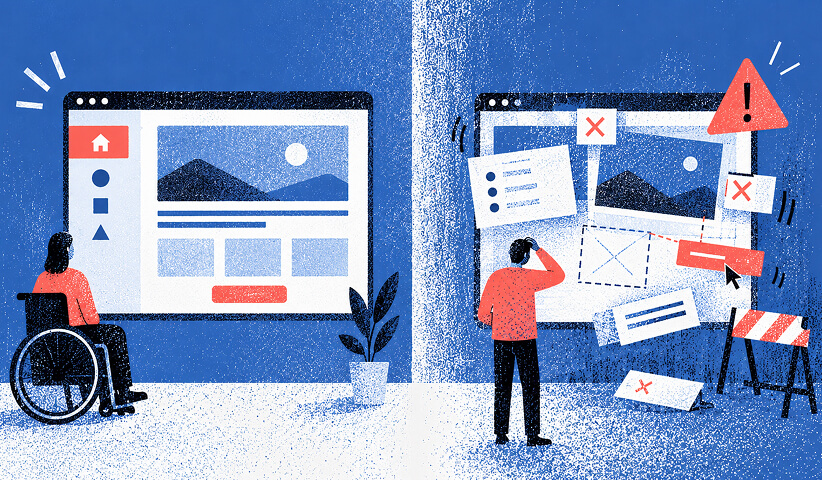
The Web Content Accessibility Guidelines, published by the W3C, are organized around four principles: content must be Perceivable, Operable, Understandable, and Robust (POUR). WCAG 2.1 Level AA is the tier the DOJ adopted for Title II, and it is the standard courts apply in most Title III cases. The U.S. Access Board maintains supplementary technical resources that align with these standards for federal contexts.
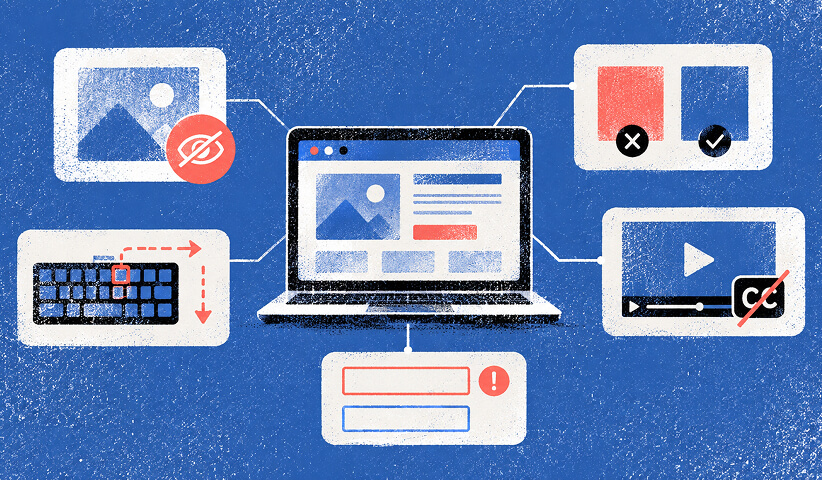
The criteria that generate the most legal exposure are not obscure edge cases. They are the basics that automated scanners flag on nearly every unoptimized site:
- Missing or meaningless alt text on images, charts, and buttons
- No keyboard navigation for interactive elements (menus, modals, carousels, forms)
- Insufficient color contrast between text and background (minimum 4.5:1 for normal text, 3:1 for large text)
- Unlabeled form fields with no programmatic association between label and input
- Videos without captions or transcripts for audio content
- Missing skip navigation links that let keyboard users bypass repetitive headers
- Broken focus order that makes tab navigation unpredictable
- Non-semantic heading structure that breaks screen reader navigation
Do / don't examples for high-risk items
Alt text:
- Do: alt="Bar chart showing Q1 revenue by region, with the Northeast at 42%"
- Don't: alt="image" or a missing alt attribute on a meaningful image
Form labels:
- Do: <label for="email">Email address</label> paired with <input id="email">
- Don't: Placeholder text alone as the label (it disappears on focus and is not read reliably by all screen readers)
Color contrast:
- Do: Dark navy text (#1a1a2e) on white (#ffffff) passes at well above 4.5:1
- Don't: Light gray text (#aaaaaa) on white (#ffffff) fails at approximately 2.3:1
Captions:
- Do: Synchronized captions on all pre-recorded video, accurate to the spoken content
- Don't: Auto-generated captions left uncorrected (they frequently misrepresent names, technical terms, and context)
Pro Tip: Prefer correct semantic HTML first. A <button> element is keyboard-accessible and announced correctly by screen readers by default. Adding ARIA roles to a <div> to simulate a button requires you to manually replicate all that behavior. ARIA misuse, such as adding role="button" without also managing focus and keyboard events, can make a page less accessible than no ARIA at all. Build on the right foundation and use ARIA only to fill genuine gaps.
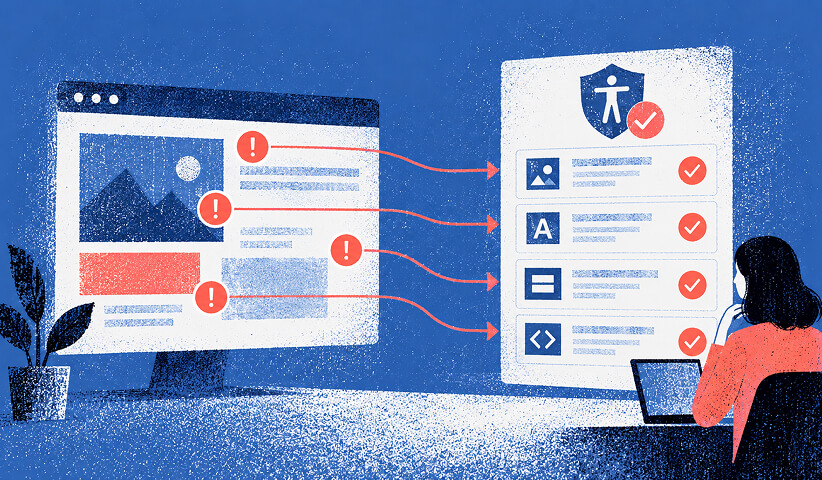
Every fix you make should be tied to a specific WCAG success criterion (for example, "1.1.1 Non-text Content" for alt text, "1.4.3 Contrast (Minimum)" for color). That mapping creates a defensible audit trail and makes remediation tracking far easier.
Racing toward the 2027 deadline without a documented program? Keep reading!
If you need an audit trail that holds up under legal scrutiny, contact us for a free custom quote.
Deadlines, Enforcement Risk, and Your 10-Step Compliance Roadmap

What are the current compliance deadlines and enforcement risks?
The regulatory timeline has shifted twice since the DOJ began this rulemaking. Here is where things stand:
| Regulatory Action | Date | Key Outcome |
|---|---|---|
| DOJ final rule published | April 24, 2024 | Adopted WCAG 2.1 Level AA for Title II web and mobile content |
| Federal Register IFR published | April 20, 2026 | Extended compliance dates; invited public comment |
| Compliance deadline (larger populations) | Compliance deadline in 2027 | Applies to Title II entities above the threshold |
| Compliance deadline (smaller populations and special districts) | Compliance deadline in 2028 | Applies to smaller entities and special districts |
To determine which bucket your entity falls into, the DOJ uses Census SAIPE population data as the reference for the 50,000 threshold.
Enforcement pathways and legal risk
Title II enforcement runs through the DOJ directly. The Department can investigate complaints, conduct compliance reviews, and pursue litigation. Title III enforcement is primarily driven by private litigation, often paired with state accessibility statutes that carry statutory damages (California's Unruh Act, for example, allows $4,000 per violation per visit).
The legal-risk pattern is consistent across cases:
- Plaintiffs and their attorneys target transactional flows first: checkout pages, login screens, contact forms, and booking systems.
- A demand letter typically arrives before any lawsuit is filed, giving the organization a short window to negotiate or remediate.
- Organizations that have no documented compliance program, no accessibility statement, and no audit history face far worse settlement positions than those with evidence of good-faith effort.
- Reactive remediation under legal pressure, with outside counsel involved, routinely costs multiples of what a proactive audit and fix program would have cost.
The DOJ's IFR cited resource constraints and the need for adequate preparation time as the rationale for extending deadlines. That extension is not a signal that enforcement is relaxing. It is an acknowledgment that compliance takes real effort, and the expectation is that covered entities use the additional time to build a genuine program.
How to build your compliance roadmap step by step
A compliance program is not a one-time project. It is a cycle: inventory, audit, fix, validate, and monitor. Here is a prioritized sequence that works for teams of any size.
- Inventory your digital properties. List every public-facing website, web app, and mobile app your organization operates. Flag which ones handle transactions, account management, or service delivery. Those are your highest-risk properties.
- Run a baseline automated scan. Use Axe DevTools, WAVE, or Google Lighthouse to generate an initial issues list. Automated tools typically catch 30-40% of WCAG failures. They are a starting point, not a finish line.
- Conduct a manual WCAG audit. A qualified auditor works through your highest-risk pages against the WCAG 2.1 AA success criteria, testing keyboard navigation, screen reader output (NVDA on Windows, VoiceOver on macOS/iOS), and form behavior. This is where the real issues surface.
- Triage and prioritize remediation. Not all issues carry equal risk.
| Priority | Issue Types | Fix Timeline |
|---|---|---|
| High | Keyboard traps, missing form labels, missing alt text on functional images, broken focus order | Sprint 1 (within 30 days) |
| Medium | Color contrast failures on body text, missing captions on pre-recorded video, heading structure errors | Sprint 2 (30-60 days) |
| Low | Decorative image alt text cleanup, minor ARIA label refinements, cosmetic contrast edge cases | Sprint 3 (60-90 days) |
- Implement fixes and link each to a WCAG criterion. Document every remediation ticket with the specific success criterion it addresses, the before/after state, and the developer who resolved it. This creates your audit trail.
- Validate with assistive technology and real users. Retest fixed pages with NVDA, VoiceOver, and keyboard-only navigation. Where possible, include users with disabilities in validation testing. Their feedback surfaces issues no automated tool or sighted auditor will catch.
- Publish an accessibility statement. Include your conformance target (WCAG 2.1 Level AA), known limitations, a contact email or feedback form, and a response commitment (48-72 hours is a reasonable SLA). This statement both helps users and creates an administrative record.
- Train your team. Developers, content editors, and designers all need role-specific training. A developer who understands semantic HTML and ARIA reduces rework. A content editor who knows how to write alt text prevents new issues from entering the site.
- Update vendor contracts. Every third-party vendor delivering web content or components must be contractually required to meet WCAG 2.1 AA. Include acceptance criteria, remediation timelines, and remedies for nonconforming deliverables.
- Set a monitoring cadence. Re-run automated scans monthly. Schedule a full manual audit annually, or after any major redesign or platform migration.
Pro Tip: Start your remediation with transactional flows, not the homepage. Checkout, login, and form submission pages are where plaintiffs' attorneys look first, and they are where inaccessibility causes the most direct harm to users. Fix those first, document the work, and you have a defensible starting position even if the rest of the site is still in progress.
Vendor Contracts, Testing Methodology, and How The Branded Agency Helps
How to write vendor contracts that protect you
Every vendor who touches your website, from your CMS provider to your marketing automation platform, can introduce accessibility failures. Your contracts need to address this before work begins, not after a demand letter arrives.
Procurement checklist
When evaluating or onboarding a vendor, require the following:
- WCAG 2.1 AA conformance deliverable: The vendor must provide a Voluntary Product Accessibility Template (VPAT) or equivalent conformance report for any component or template they deliver.
- Test evidence: Ask for automated scan results and manual audit documentation, not just a self-attestation. Require screen reader test recordings for interactive components.
- Ongoing maintenance SLA: Accessibility conformance must be maintained through updates. The contract should specify that new releases meet the same standard.
- Remediation window: Define a maximum response time for accessibility defects reported post-delivery (14-30 days for critical issues is a reasonable starting point).
- Acceptance criteria: Tie final payment or project sign-off to WCAG success criteria, not just visual design approval.
- Accessibility training: For long-term partners, require that their delivery team has documented accessibility training.
Red flags to watch for
Some vendors will promise accessibility without being able to deliver it. Watch for these warning signs when evaluating an agency or vendor:
- Proposing an overlay widget (such as AccessiBe or UserWay) as the primary or sole compliance solution. Overlays do not fix underlying code and have been challenged in court.
- Refusing to provide manual audit evidence or screen reader test recordings.
- Describing their accessibility work in vague terms ("we follow best practices") without citing specific WCAG success criteria.
- No assistive technology testing in their stated methodology.
To verify vendor claims, ask for a sample remediation ticket showing the WCAG criterion addressed, the before/after code change, and the retest result. A vendor who cannot produce that has not done real accessibility work.
How to test your site for real accessibility conformance
Testing for ADA web accessibility requires layering multiple methods. No single tool or approach is sufficient on its own.
- Define your test scope. Select a representative sample of pages: homepage, primary navigation, at least two transactional flows (checkout, form submission), a content-heavy page, and any page with video or audio.
- Run an automated baseline scan. Tools like Axe DevTools, WAVE, or Lighthouse generate an issues list quickly. They reliably catch missing alt text, contrast failures, and some form label issues. They miss complex keyboard navigation problems, dynamic content errors, and most ARIA misuse.
- Conduct a manual WCAG checklist review. Work through WCAG 2.1 AA success criteria systematically for each page in scope. This catches issues automated tools cannot detect, including logical reading order, meaningful link text, and error identification.
- Run keyboard-only navigation passes. Unplug your mouse and navigate the entire transactional flow using only Tab, Shift+Tab, Enter, and arrow keys. Every interactive element must be reachable and operable.
- Test with screen readers. Use NVDA with Firefox or Chrome on Windows, and VoiceOver with Safari on macOS and iOS. Navigate forms, menus, and modals. Listen for how content is announced and whether interactive elements have meaningful names.
- Conduct user testing with people with disabilities. Recruit participants who use screen readers, switch access, or other assistive technologies as part of their daily workflow. Their sessions will surface real-world barriers that no technical audit captures.
- Produce a structured report. Document each issue with the WCAG criterion violated, the affected page and element, the severity, and the recommended fix. This report is your remediation roadmap and your legal evidence file.
Here is how each test type contributes to a complete picture:
| Test Method | What It Catches | What It Misses |
|---|---|---|
| Automated scan | Missing alt text, contrast failures, basic form label issues | Dynamic content, complex keyboard flows, ARIA misuse |
| Manual WCAG checklist | Reading order, link text, error messaging, heading structure | Real-world assistive tech behavior |
| Keyboard-only navigation | Keyboard traps, focus order, skip link function | Screen reader announcement quality |
| Screen reader testing | Announced names, roles, states of interactive elements | Visual contrast, layout issues |
| User testing with disabled users | Real-world barriers, workflow friction, cognitive load | Systematic WCAG criterion coverage |
The DOJ's guidance explicitly recommends pairing automated tools with manual checks. Overlays and automated-only programs do not meet the standard for a defensible compliance program.
Pro Tip: Build repeatable test scripts for your highest-risk pages and record screen reader sessions as video. When a demand letter arrives, a library of dated screen recordings showing conformance is far more persuasive than a spreadsheet of self-reported fixes. It also gives your legal team something concrete to work with.
How The Branded Agency approaches ADA compliance work
Bringing a site into conformance is a web development and strategy challenge as much as a legal one. The Branded Agency's website development services are built to address both dimensions, from initial audit through remediation and ongoing monitoring.
Our process follows the same roadmap outlined in this article:
- Discovery and scoping: We identify your covered properties, assess current conformance levels, and define the audit scope based on legal risk and traffic priority.
- Accessibility audit (automated + manual): We run automated scans and conduct manual WCAG 2.1 AA reviews with screen reader testing on NVDA and VoiceOver. Every issue is documented with the specific success criterion, severity, and recommended fix.
- Prioritized remediation plan: We deliver a sprint-ready backlog organized by risk tier, so your development team (or ours) can execute in a logical sequence.
- Implementation and validation: We implement fixes, retest with assistive technologies, and validate with real users where possible.
- Ongoing monitoring and support: Monthly automated scans, annual manual audits, accessibility statement maintenance, and staff training keep your program current.
We also help clients build accessibility requirements into vendor contracts and procurement processes, so new content and components enter the site conformant from day one. If you are ready to move from risk to compliance, connect with our team to schedule an accessibility audit.
What we have learned from real compliance engagements
The organizations that struggle most with ADA compliance are not the ones that ignored it entirely. They are the ones that thought a single audit or an overlay widget had solved the problem. Accessibility is a maintenance discipline, not a one-time project, and the gap between those two mental models is where most legal exposure lives.
From the work we do with clients across industries, a few patterns show up consistently. Complex page templates, especially those built on legacy CMS platforms with dozens of custom components, almost always contain more issues than a preliminary scan suggests. Third-party widgets, chat tools, and embedded forms are frequent offenders because they sit outside the main codebase and often get excluded from audits. Ecommerce checkout flows are the highest-risk area in any retail environment, and they are almost always the last thing teams prioritize.
On budgeting: a small site (under 50 pages, simple templates) can typically move through a full audit and remediation cycle in 60-90 days with a modest investment. A medium-complexity site with dynamic content and third-party integrations realistically takes 3-6 months and a more substantial budget. Enterprise platforms with multiple properties, legacy code, and complex user flows should plan for a phased multi-year program. In every case, the cost of proactive remediation is a fraction of what organizations spend when a demand letter forces the work under legal pressure with outside counsel billing by the hour.
The most durable fix is integrating accessibility into your development lifecycle from the start. That means accessibility acceptance criteria in every ticket, automated scanning in your CI/CD pipeline, and a design system built on accessible components. When accessibility is a quality gate rather than a post-launch audit, the recurring remediation cost drops to near zero.
The Branded Agency is built for exactly this kind of work
Most organizations facing ADA compliance requirements need more than a checklist. They need a partner who can audit their current state, implement fixes at the code level, and build the documentation that holds up under legal scrutiny.
The Branded Agency's strategic website development practice is designed for growth-stage and regulated organizations that cannot afford to treat accessibility as an afterthought. We bring together technical auditors, developers, and compliance-aware strategists in a single engagement, so you get a remediation plan that is executable, not theoretical. Our work produces the audit trails, accessibility statements, and vendor contract language that give your legal team something solid to stand on.
Whether you are a state agency working toward the April 2027 deadline or a commercial platform managing Title III exposure, the right next step is a structured audit. Schedule a conversation with The Branded Agency and we will scope the work, prioritize the risk, and get your site moving toward conformance.
This article is general information, not a substitute for advice from a qualified lawyer. Consult a qualified legal professional about your own circumstances before acting on anything here.
Sources
These primary sources are the foundation for everything covered in this article. Verify requirements and deadlines directly from these references before making compliance decisions.
- Guidance on Web Accessibility and the ADA
- Federal Register: Extension of compliance dates for nondiscrimination on the basis of disability; accessibility of web
- ADA Accessibility Standards — U.S. Access Board
Recommended

Quincy Samycia
As entrepreneurs, they’ve built and scaled their own ventures from zero to millions. They’ve been in the trenches, navigating the chaos of high-growth phases, making the hard calls, and learning firsthand what actually moves the needle. That’s what makes us different—we don’t just “consult,” we know what it takes because we’ve done it ourselves.
Want to learn more about brand platform?
If you need help with your companies brand strategy and identity, contact us for a free custom quote.
We do great work. And get great results.
+2.3xIncrease in revenue YoY
+126%Increase in repurchase rate YoY




+93%Revenue growth in first 90 days
+144% Increase in attributed revenue




+91%Increase in conversion rate
+46%Increase in AOV




+200%Increase in conversion rate
+688%Increase in attributed revenue







